EVO TrustGuard is security guard post orders software for guard, EP, and patrol companies: each post order is built from the client and assignment details you already entered and emailed to your team, supervisors and anyone else who needs it.
Part of TrustGuard Business, $199 a month. Post orders live on the client record, not in the free Marketplace plan.
Four steps, on screens you already use.
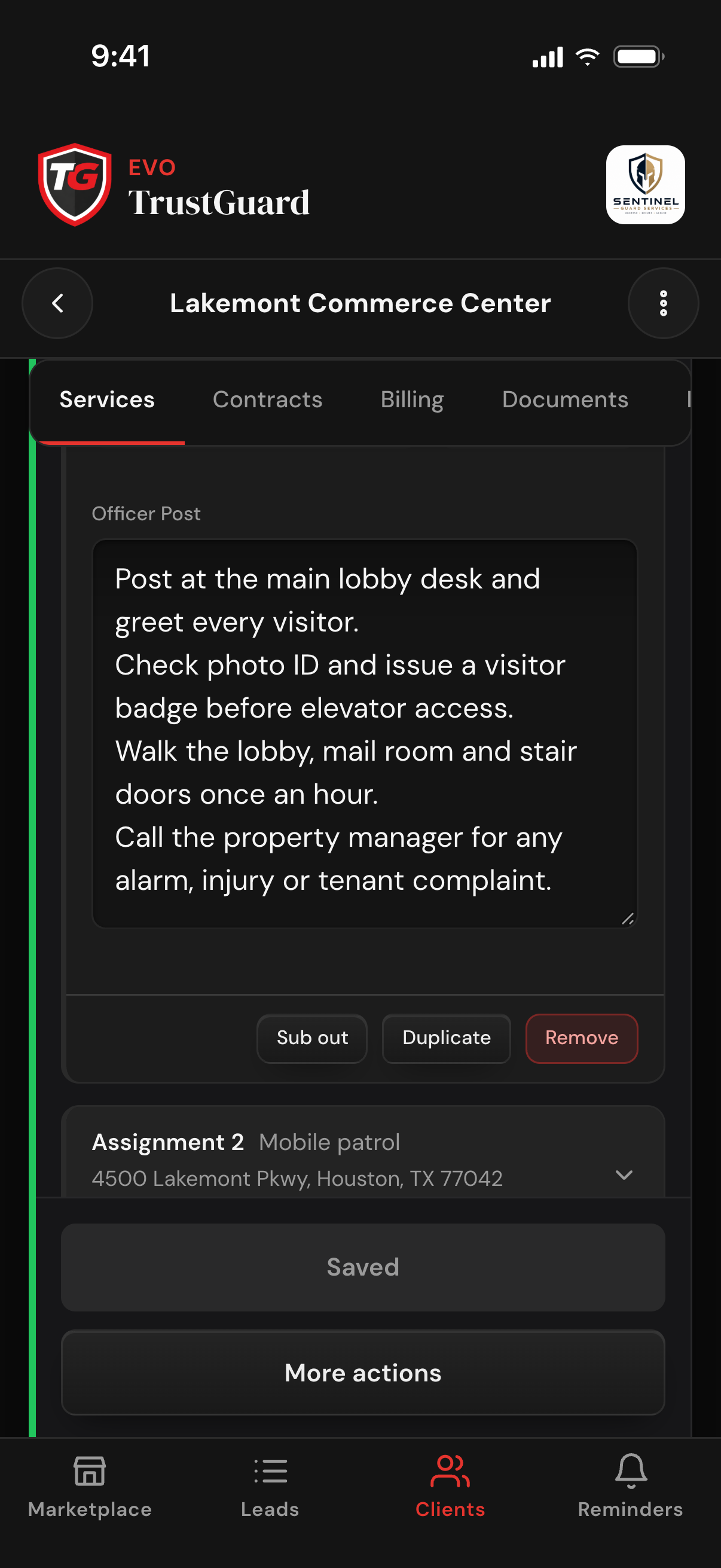
On the client's Services tab, tap Create Service and fill in the site, service type, officers, armed or unarmed, uniform, dates and schedule; add another site to the same service as its own assignment. Type the standing instructions in the Officer Post box. A lead marked hired or signed carries its assignments into the client's first service, officer post included.
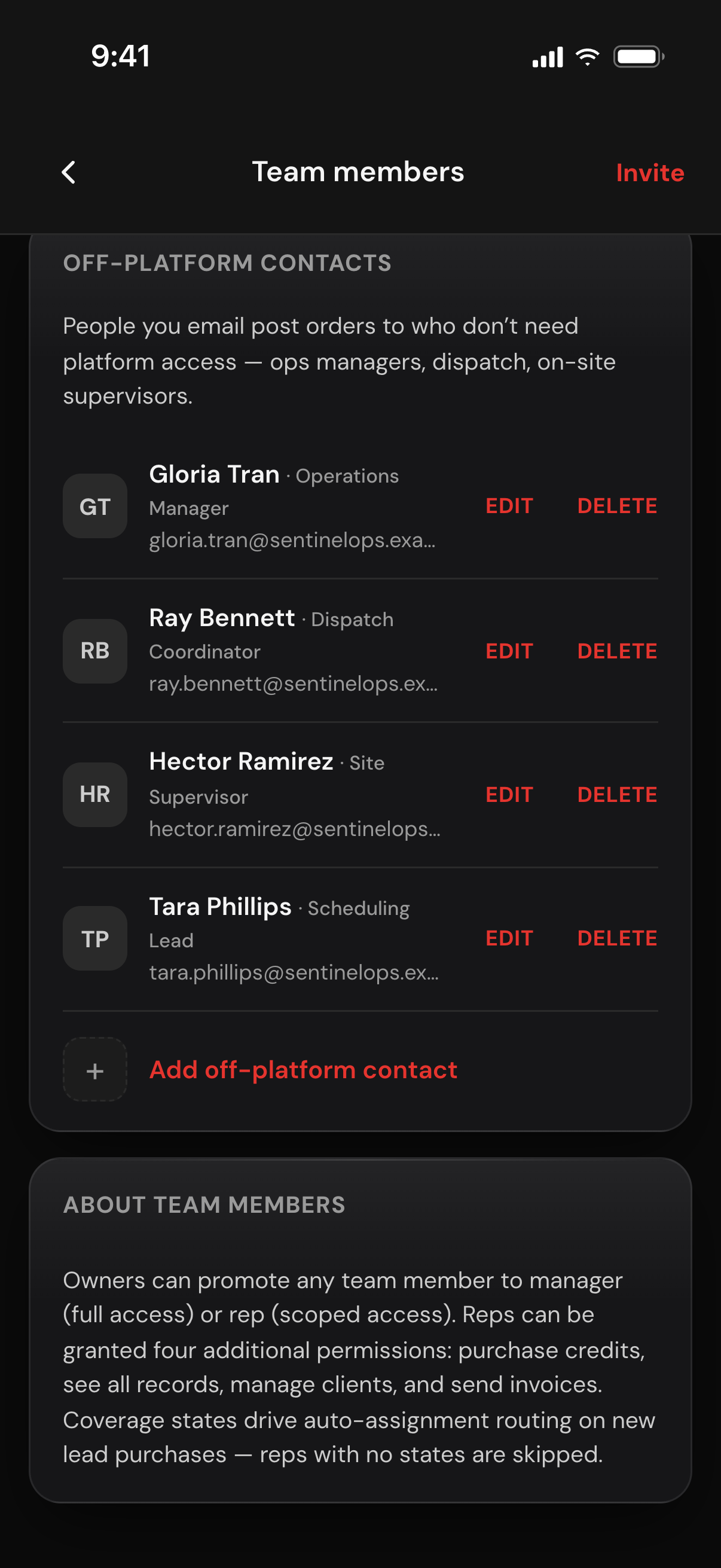
On Team Members, add ops managers, dispatchers and site supervisors as off-platform contacts: a name, an email and an optional role. They never need a login. Owners and managers keep the list; reps pick from it when they send.
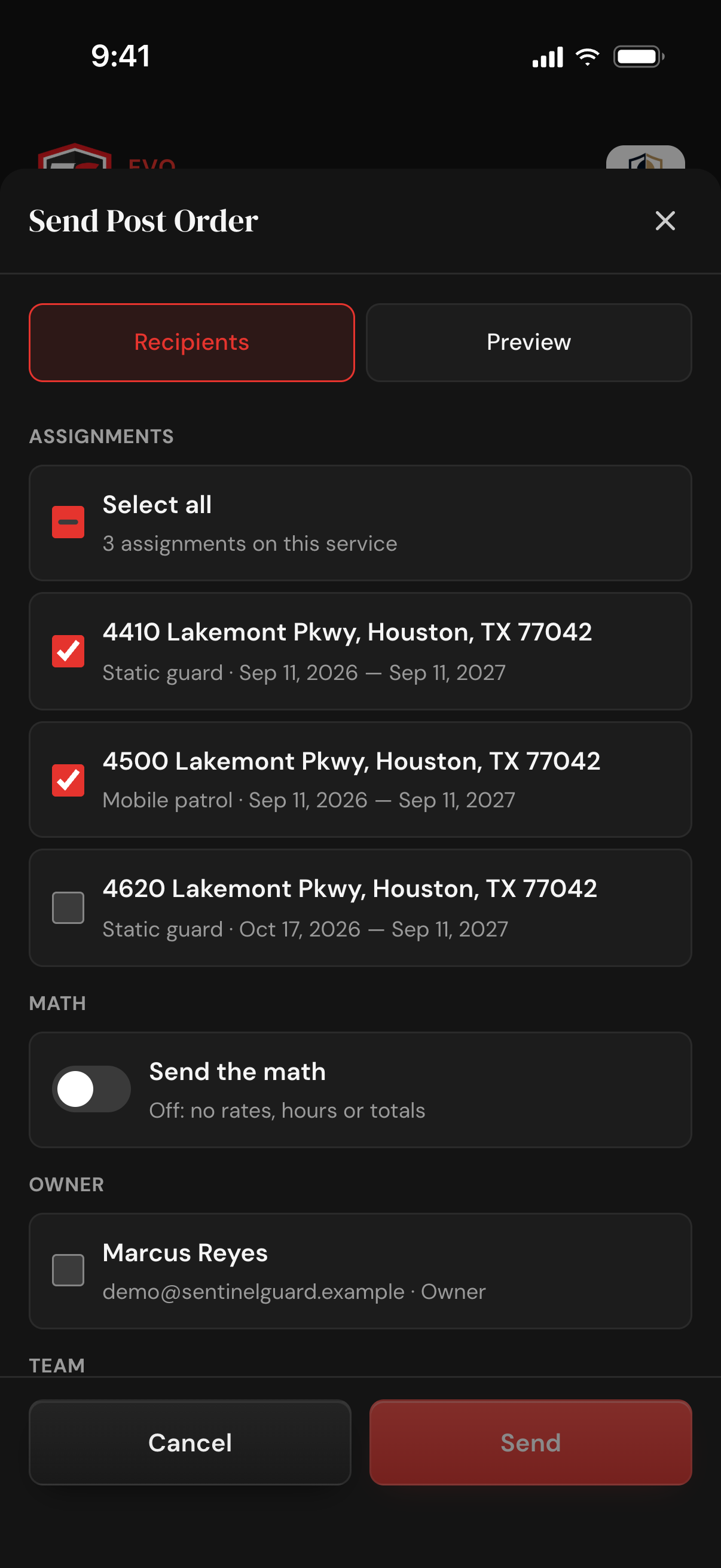
Expand the service card, tap More actions, then Send Post Order. Every assignment starts ticked: leave them all on, or untick the others to give one site its own post order. Send the math starts off, so no rates or totals go out; switch it on to include the billed hours, rates and totals for the sites you picked.
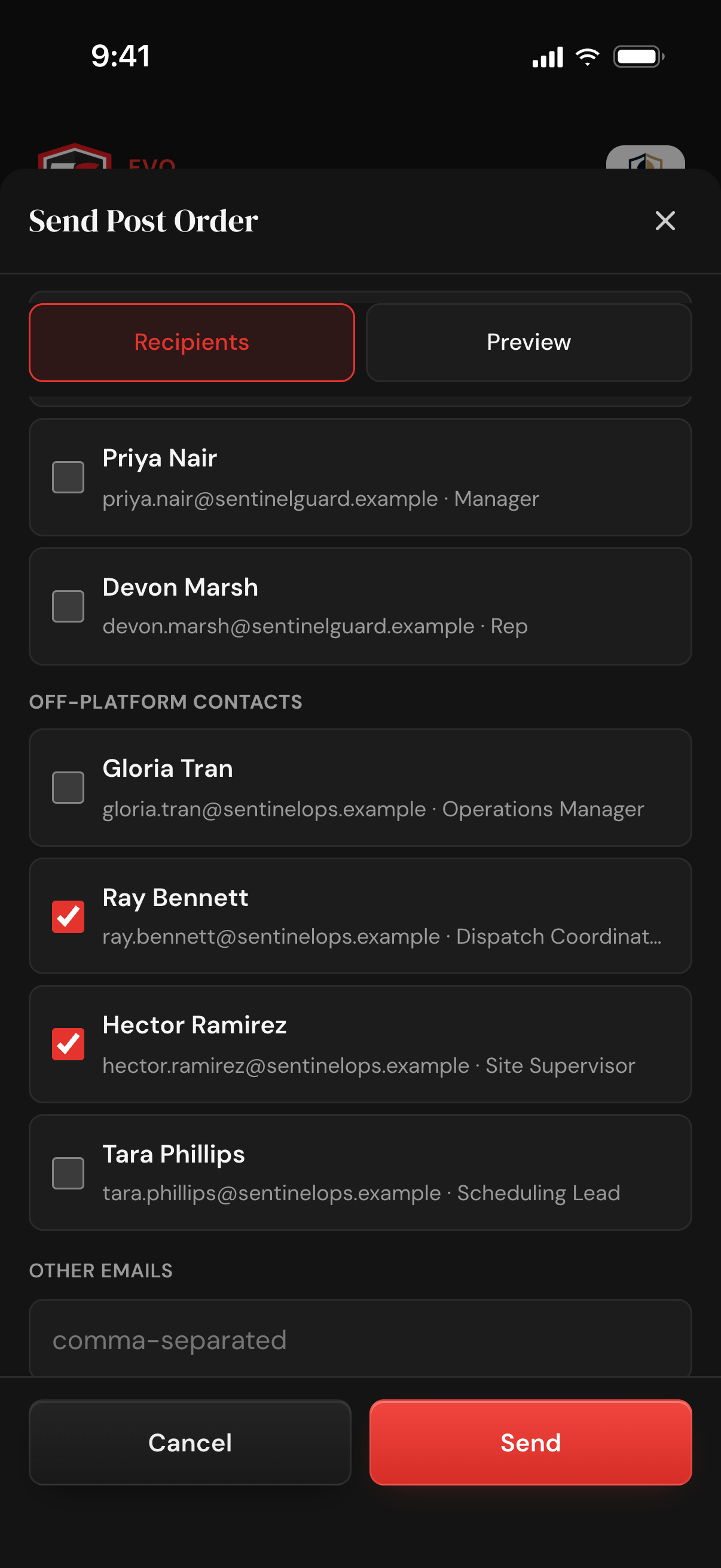
Tick the owner, team members and off-platform contacts, or type any other email address. Add a subject and a note if you want, tap Preview to read the post order as a document, then Send. A message confirms how many people it went to.
A document going out, a record staying behind.
Site location, service type, officers, armed or unarmed, uniform, dates, hours and the point of contact all come from the saved assignments and the client record, nothing retyped. A blank field is left off and a TBD prints as TBD, so it can go out before every detail is known.
One fact per line with a bold label, plus a plain-text version. The sender shows your company's name, replies go to whoever sent it, and it signs off with a Sent by line naming the person, their role and your company.
Identical posts at several addresses merge into one section with a Site locations list, each address with its own dates when they differ. One post order covers up to 20 assignments, and with the math on, a flat fee on the service prints once, with the assignment that owns it.
Post order sent by Name (Role) and the time land on the client's Documents tab, Activity Log and Client History; the audit entry keeps who it went to and which assignments it covered. Any active team member can send; when a rep or manager sends, the owner is ticked by default.
No. Save them as off-platform contacts (a name, an email and an optional role) or type their email address in the send sheet. The post order arrives as a normal email, and each person gets their own copy, so nobody sees the other addresses on the send.
Not unless you choose it. Send the math is off every time the sheet opens, so no rates or totals go out. The guard still sees the schedule: shift times and days. Turn the math on only when the person receiving it should see the figures.
Yes. Untick the other assignments and the post order covers only that site. Use Select all to send the whole job. One post order covers up to 20 assignments.
Yes. Each send shows on the client's Documents tab, Activity Log and Client History as Post order sent by Name (Role) with the time; the Documents tab and Client History also show the subject. The post order itself is not saved as a file.
Any active team member, owner, manager or rep, on TrustGuard Business, $199 a month. No extra permission is needed, and when a rep or manager sends one, the owner is ticked as a recipient by default.
Spreadsheets, folders, generic CRMs, scattered tools, hours of retyping. That doesn't have to be how you run your business anymore. Join the platform that was built for you.
Get started