EVO TrustGuard is security company invoicing software for guard, EP, and patrol companies: it builds the invoice from the service you already set up for a client, sends it for online payment once you connect your own Stripe account, and tracks what is paid, pending and overdue.
Part of TrustGuard Business, $199 a month.
From connecting Stripe to getting paid.
The owner connects Stripe once, in Profile & Settings. Then open the client: Create Invoice on the Billing tab fills in from the services saved on that client, or open one service, tap More actions, then Invoice to fill from that service alone. Until Stripe is connected, Create Invoice stays greyed out.
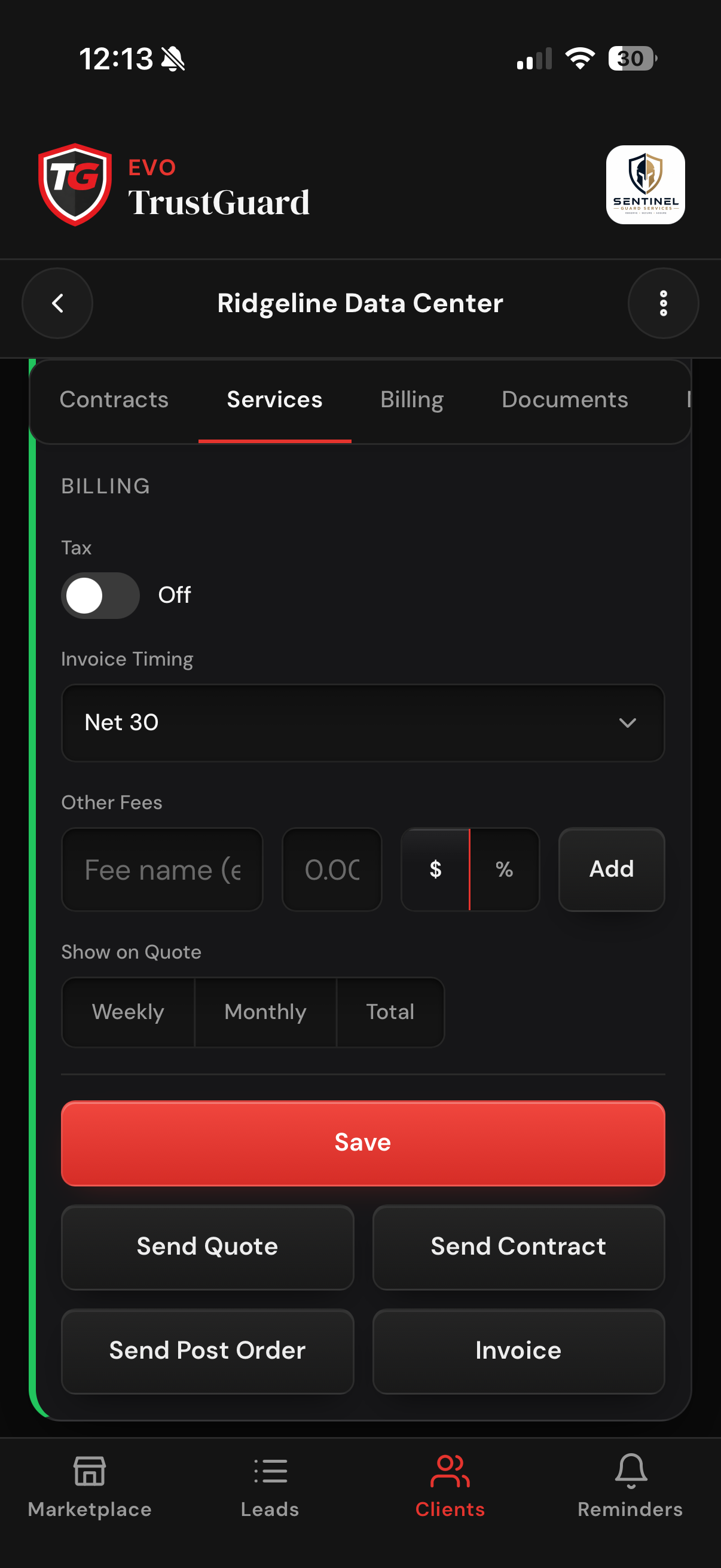
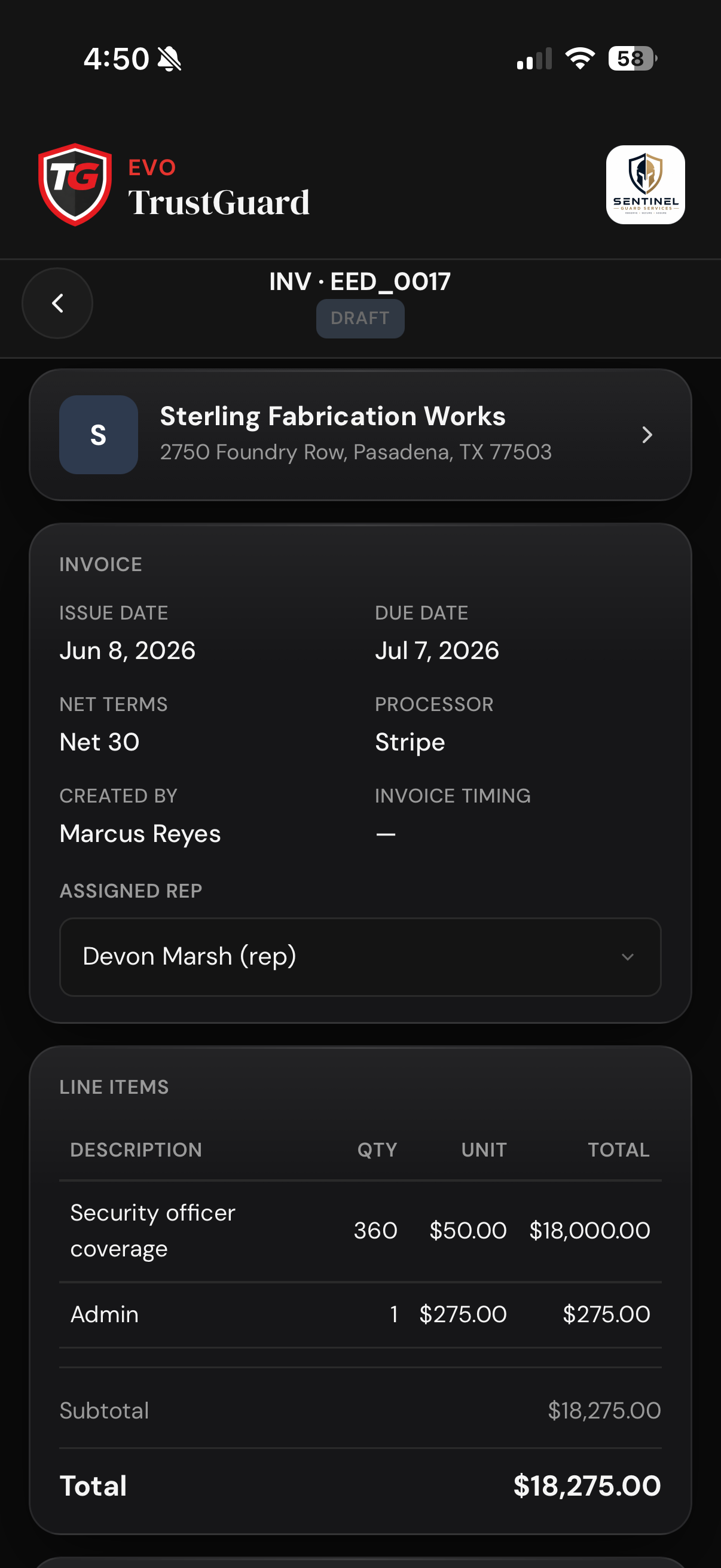
Lines arrive filled from the saved service, one each for labor, vehicle charges and flat fees, priced for its whole date range, so edit the amounts to the period you are billing (tax and percent fees are not carried in). Pick Net 15, 30, 45 or 60, tap Create & Send and confirm the total and the client's email. Stripe emails the invoice from your own Stripe account with an online payment page, and it shows as Sent.
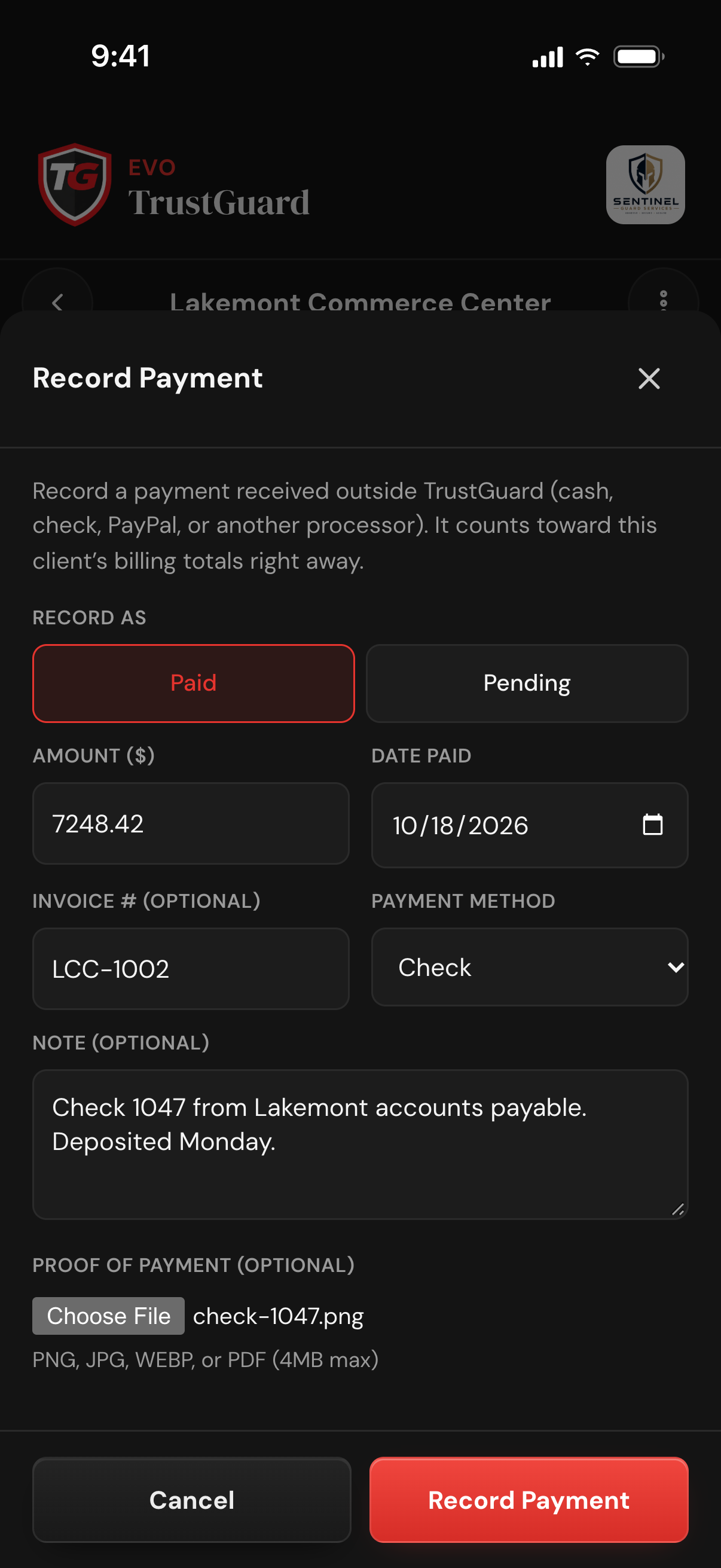
No Stripe needed. On the client's Billing tab tap Record Payment, choose Paid or Pending, then enter the amount, your own invoice number, a note and a photo or PDF as proof; a Paid record also takes the date paid and method. Paid counts toward the client's totals right away; Pending counts as outstanding, carries a due date or net terms, and turns Overdue once the date passes.
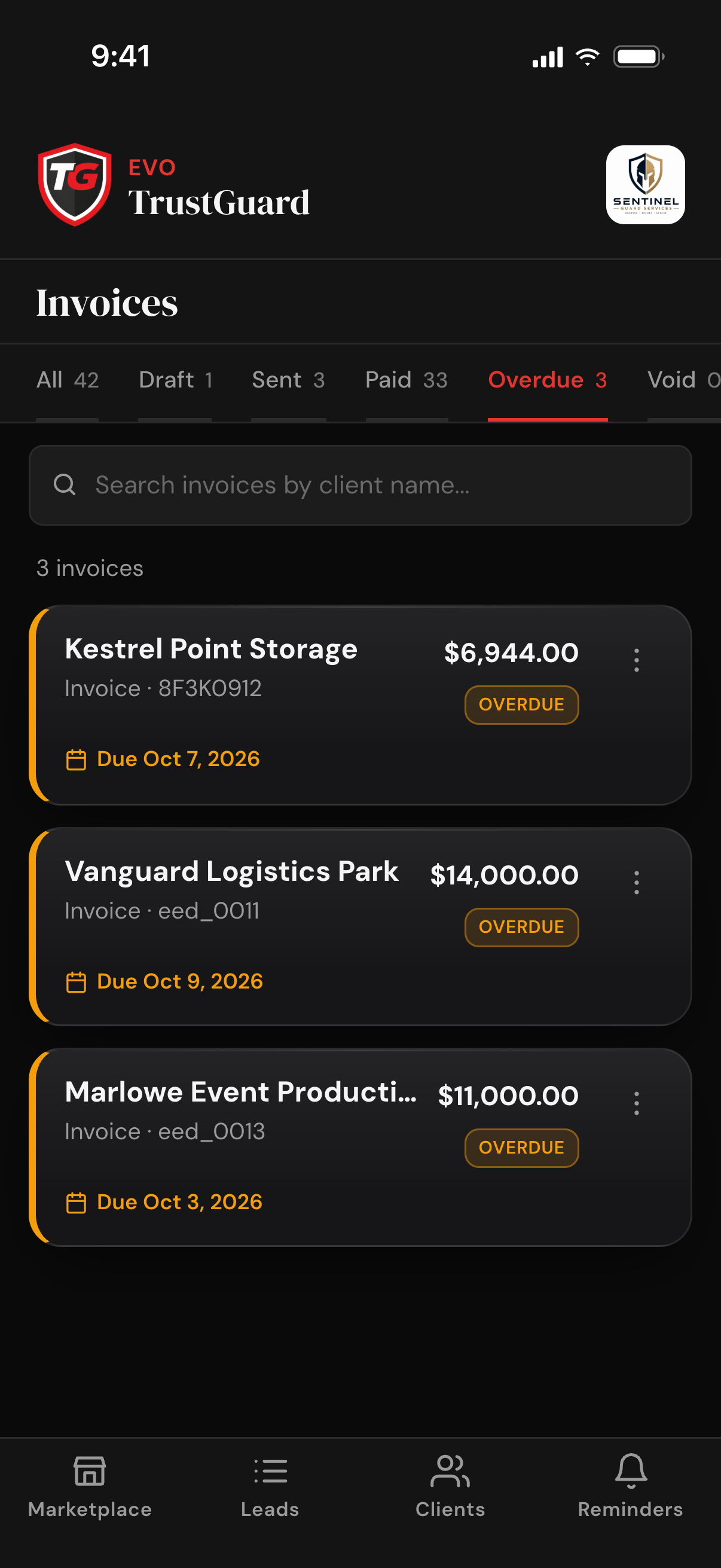
Open Invoices from the dashboard: every invoice across your clients under All, Draft, Sent, Paid, Overdue and Void tabs, each with a count, searchable by client name. Set yourself a reminder from any card's menu. The owner's dashboard shows Revenue this month, how many invoices are outstanding, and a red count of those past their due date.
Stop building invoices from scratch in a spreadsheet and chasing payment by phone. The client and the service are already in TrustGuard.
The client's details and the lines from the service you saved are already on the invoice, so you check it instead of building it. Change anything that has moved since signing, then send.
Add a line for a one-off charge, change a quantity or a price, or take a line out, up to 50 lines and $1,000,000 per invoice, with the total updated as you go.
Stripe sends the email and the payment page under your own Stripe account, so your client pays with no TrustGuard login. The money lands in your own Stripe balance; TrustGuard adds no fee of its own.
Every client card carries a PAYMENT pill that reads PAST DUE when an unpaid invoice is past its due date, and the client's page shows Lifetime Revenue and an Outstanding amount. When the client pays through Stripe, the invoice is marked Paid for you; a payment you record yourself you mark Paid.
To send an invoice your client can pay online, yes. Create Invoice stays greyed out until the owner connects Stripe in Profile & Settings. Without Stripe you can still record invoices and payments you handled elsewhere and track what is paid, pending and overdue.
No. Payments go straight into your own Stripe balance. TrustGuard never touches the money and adds no fee of its own to the invoice.
Yes. Tap Record Payment on the client's Billing tab and enter the amount, date and method, with your own invoice number and a photo of the check if you want. It counts toward that client's totals right away. This creates its own record; it does not mark an invoice you sent through Stripe as paid.
The Invoices page has an Overdue tab with a count. On the owner's dashboard, the Client Billing & Invoicing tile wears a red number for invoices past their due date, and on the Clients list a client with one wears a PAST DUE pill.
Owners and managers can. A rep needs the send-invoices permission, which the owner switches on. Only an owner or manager can void an invoice or undo a recorded payment, and only the owner can connect Stripe.
Spreadsheets, folders, generic CRMs, scattered tools, hours of retyping. That doesn't have to be how you run your business anymore. Join the platform that was built for you.
Get started