EVO TrustGuard is security company document management software, built into the place guard, EP, and patrol companies run their work: upload your COI, W-9 and licenses once, email them to a client or lead in a few taps, and keep a record of every send.
Part of TrustGuard Business, $199 a month.
Four steps, from the first upload to the record of what went out.
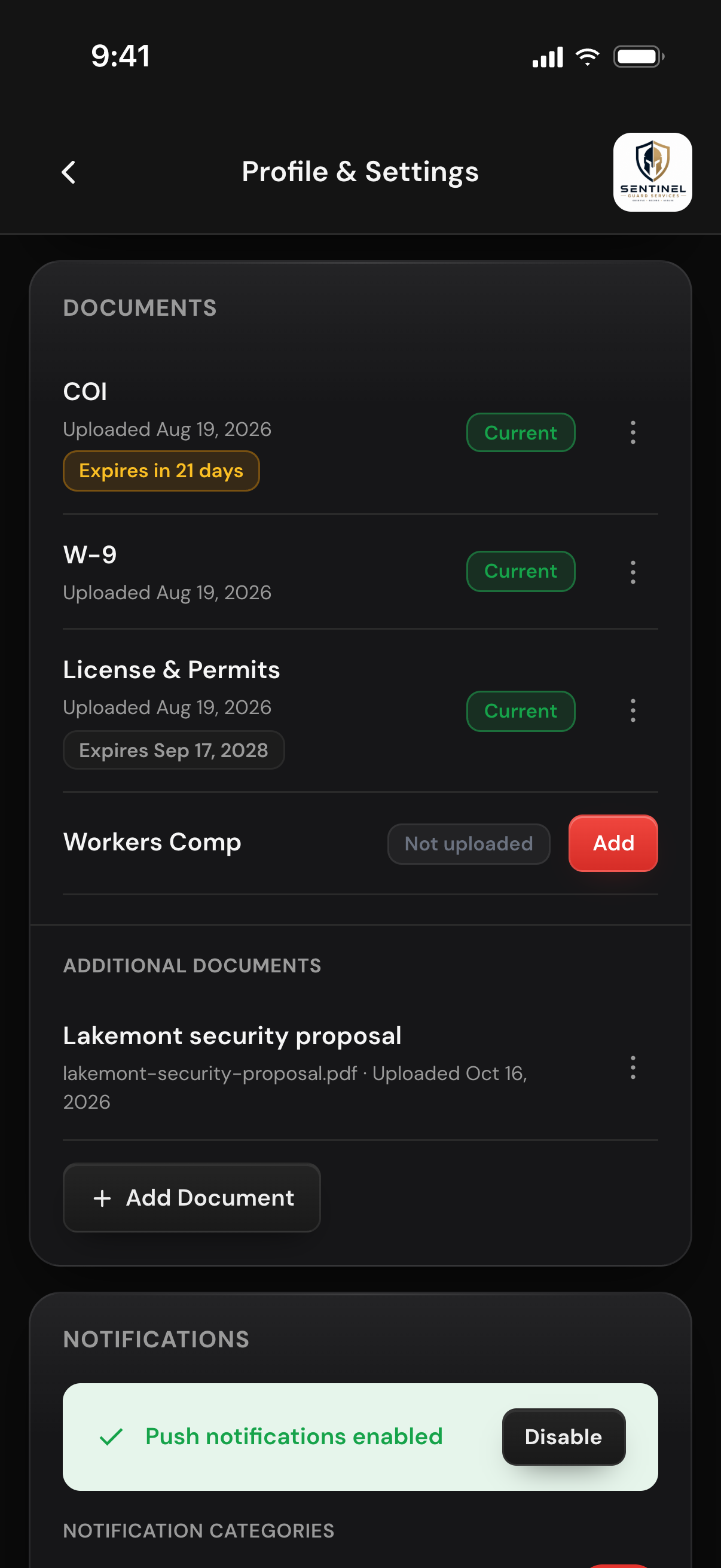
Open Profile & Settings as the owner and fill the four named slots: COI, W-9, License & Permits and Workers Comp. Anything else, a bond or a capabilities statement, goes in with Add Document under its own name. Put an expiry date on anything that expires: the badge turns amber 30 days out and red once past, and Replace swaps in the renewal.
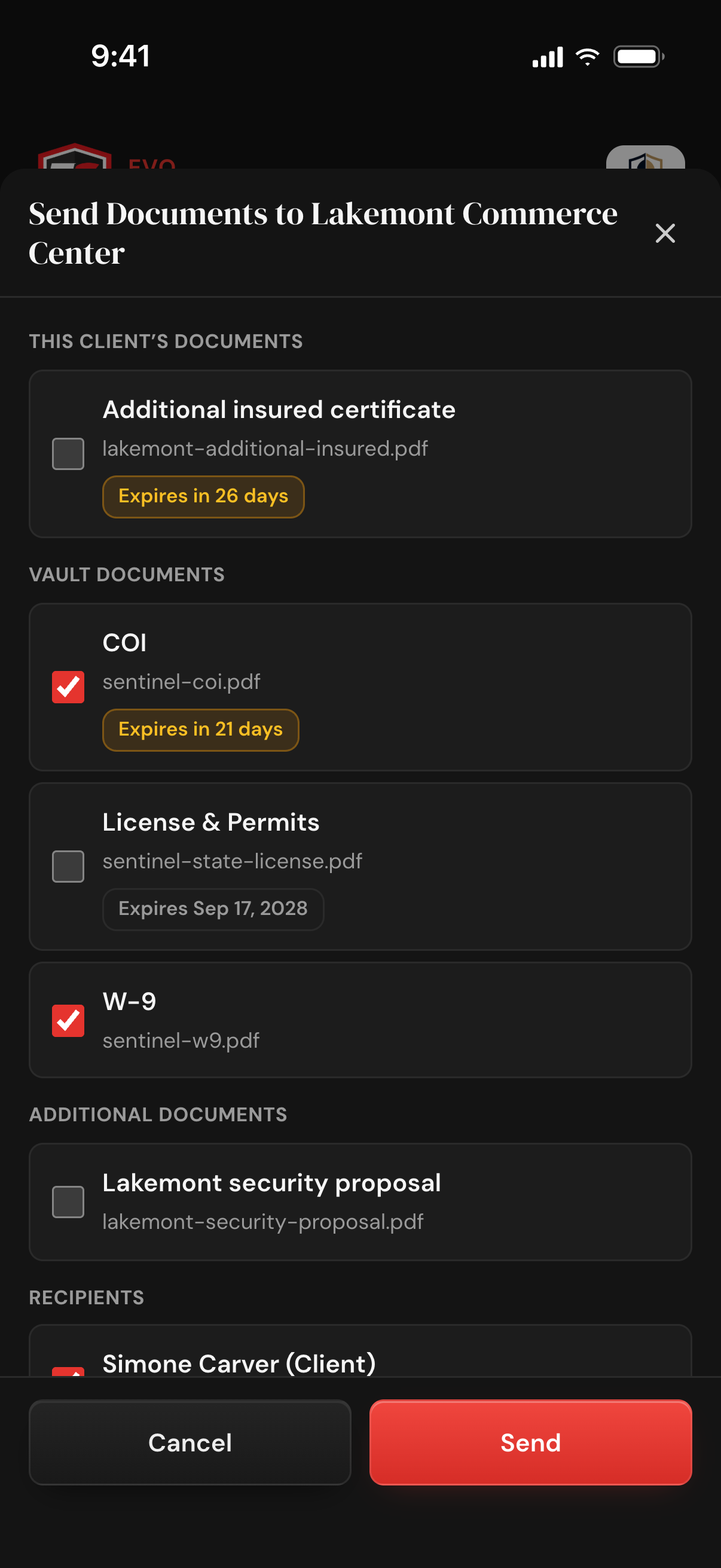
On a client, or on a lead you are still working, open the Documents tab. Add Document keeps a file that belongs to that one account, such as a COI naming the client as certificate holder; it can only be sent from there. Tap Send Documents and tick the files, each with its expiry badge, up to 20 in one send.
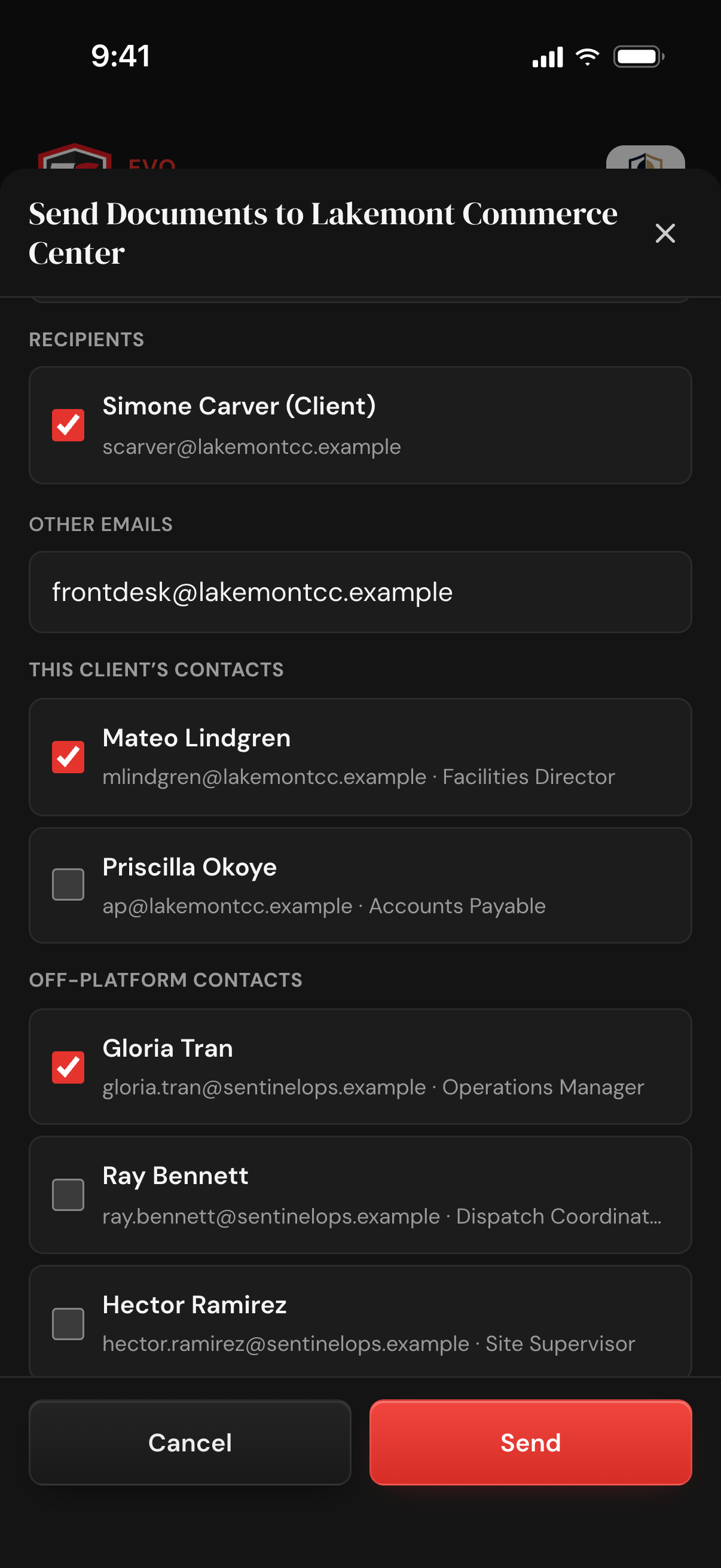
The client or lead contact is filled in when an email is on file. Tick your saved off-platform contacts or a client's other contacts, type any other address, or untick the client and send only to their broker or insurer, up to 50 recipients. The recipient gets a normal email from your company name, no login needed, and replies go to whoever sent it.
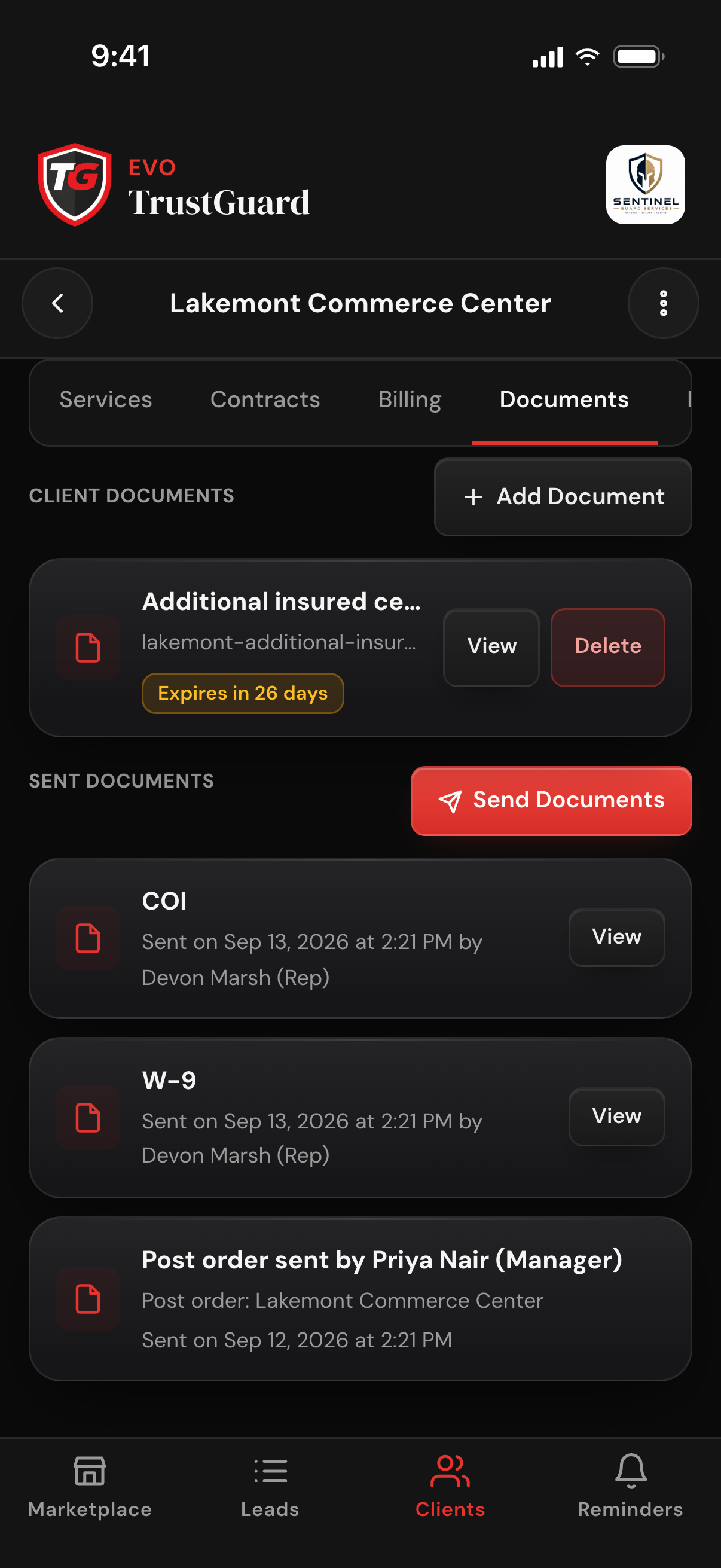
Sent Documents on that tab lists each document with the date, time, and the name and role of the team member who sent it, plus View to open the file. Emailed quotes land in the same list, and on a client so do post orders; the sends show in Client History under the Documents filter too.
Stop digging through email, folders and shared drives every time a client asks for your COI. Upload once and send from the client or lead that asked.
Drop in your COI, W-9, license, workers comp certificate or bond as a PDF or image. Files are stored privately, and a photo has its camera and location details removed before it is stored.
Tick the files and the people, then tap Send; the subject and greeting are already filled in. Files normally arrive as real attachments when the attached total is 10 MB or less; anything that does not fit goes as a 30-day download link, with its end date stated in the email.
Which document, when, and which team member sent it, on the client or lead and in your Activity log. Useful for audits, and for remembering you already sent the W-9 last month.
A proposal, a contract addendum, a service report: upload it to the vault or to the one client or lead it belongs to, and send it the same way. A contract the client e-signs files itself under that client's Sent Documents.
PDFs and images (PNG, JPG, WEBP). There are four named slots (COI, W-9, License & Permits, Workers Comp) and you can add as many other named documents as you need. Any of them can carry an expiry date, set when you upload it.
As a normal email from your company name, with the files normally attached when the attached total is 10 MB or less. Anything that does not fit comes as a download link that works for 30 days, and the email states the date it stops working. Replies go to the team member who sent it.
If you entered its expiration date when you uploaded it, the badge turns amber 30 days out and red once the date has passed, everywhere the document appears. TrustGuard does not send a reminder, and it will not stop you sending an expired document to a client. When the renewal arrives, tap Replace and upload the new certificate with its new date.
Managers can. Reps can while Can manage clients is on for them (it is on for a new rep; the owner can switch it off on the Team Members page). The owner uploads company documents from Profile & Settings; managers and permitted reps add documents on client and lead pages. Only the owner and managers can delete a document, and uploads, deletes and sends are written to the Activity log with the person who did them.
TrustGuard Business, $199 a month. The free Marketplace account does not include the vault or document sending; a Marketplace company sees an upgrade prompt on a lead's Documents tab.
Spreadsheets, folders, generic CRMs, scattered tools, hours of retyping. That doesn't have to be how you run your business anymore. Join the platform that was built for you.
Get started