What's New

Every feature, fix and improvement shipped to EVO TrustGuard, newest first.

73 updates

Feature

Every post order, quote and document now shows who sent it

When more than one person works an account, the client and the office both want to know who sent what. Every send now carries that answer.

What changed

Post orders, quotes and document sends carry a Sent by line with the sender’s name, role and company, on the email and on the document itself.

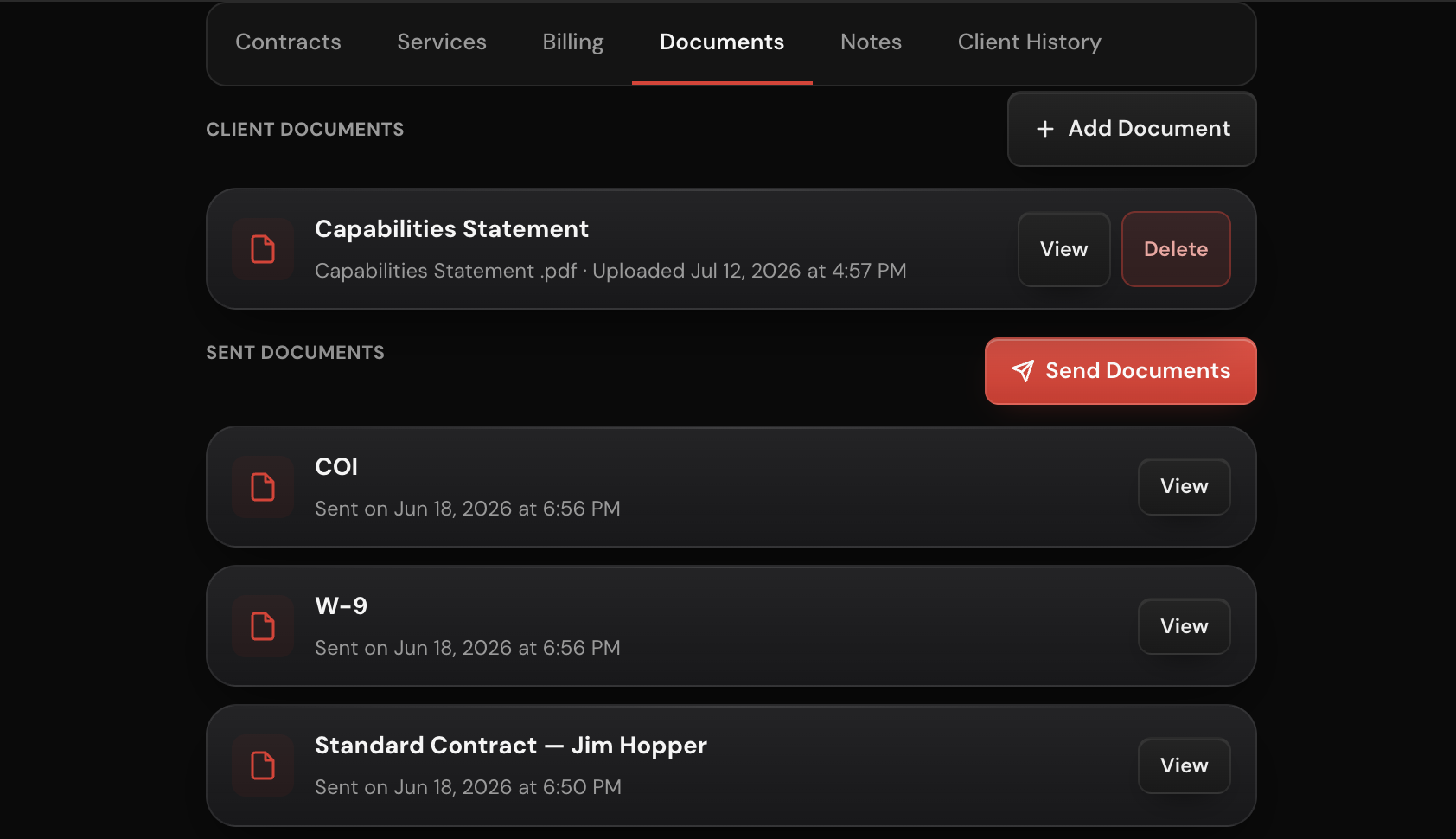
The client’s timeline and Documents tab show the sender on each send, so the record reads Post order sent by John.

Managers and reps are named by their own team member record, not the owner’s.

Where to find it

The Documents tab and timeline on any client or lead, and the footer of every post order, quote and document email.

Improvement

The Services tab opens as a short list you can unfold

A lead or client with several assignments used to open on one long scrolling form. The Services tab now opens as a short list of folded blocks, so you see the whole engagement at a glance and open only the part you need.

What changed

On a lead, the tab opens as the Client Information Sheet, each assignment, and Billing, all folded.

On a client, each service opens as its assignments and Billing, folded the same way.

Every block folds and unfolds with one tap, and every field is still saved whether the block is open or closed.

Where to find it

Services tab on any lead in My Leads, and on any client.

Feature

Louisville crime leads are back, with a call sheet for the block

Louisville reports crime incidents by the block, not by the address. So we pulled them, because a lead you can’t contact is a lead you can’t work. Those leads now reach you as block cards, with the businesses on that block ready to call.

What changed

Each block card names the offense, the date and the hundred block, and says plainly that the exact business could not be determined.

The call sheet lists the ten nearest businesses within 500 feet of the reported block, with a phone number.

Add the card to My Leads and the call sheet comes with it, so every business on the list can be worked or added as its own lead.

Where to find it

Signal Leads, Louisville cards, and the Services tab on any lead you add from one.

Feature

Put a flat rate job on a contract

Some jobs are priced as a single amount for the whole engagement rather than by the hour. Those can now go on a contract.

What changed

A service priced as a flat fee can be sent as a contract.

The contract prints the flat amount as the price of the job.

The contract lists only the charges that apply to that job.

Where to find it

Create Contract, from a client's Services tab or from a lead.

Improvement

A business client is named by the business

When a client is a company, the card and the page lead with the company rather than the individual you happen to call there. The contact stays where you need it, one line down.

What changed

Client cards and the client page lead with the business name for business clients.

Individuals and government clients keep the name that suits them.

One shared rule decides that name everywhere it appears, so the list, the page and your documents agree.

Where to find it

Clients, and any client's page.

Improvement

Assignments now collapse for easier reading

A service with several assignments ran long enough that Save and the send buttons sat below everything else, and every assignment stayed open at full height at once.

What changed

Each assignment collapses to a three line header carrying its title, location and dates.

Open one to see the full assignment.

Save and More stay reachable however many assignments a service has.

One two button cluster replaces the six button stack, at every width.

Where to find it

The assignment sheet, on a client's Services tab and on a lead.

Feature

Chattanooga commercial permits now land with the contractor’s phone number

Tennessee joins Signal Leads. Commercial building permits issued in Chattanooga now arrive in your feed the same week they are issued, and most of them carry the contractor’s phone number directly on the card.

What changed

Chattanooga commercial building permits are now a Signal Leads source.

Cards lead with the city’s own commercial permit classification.

The contractor name and phone number appear on the card where the city publishes them.

Tennessee now has coverage in the feed.

Where to find it

Marketplace, Signal Leads, filter by permits.

Feature

Cleveland building permits are now in Signal Leads

Cleveland becomes the third Ohio market in your Signal Leads feed. Issued commercial building permits from the city now arrive alongside the Columbus and Cincinnati permits you already see.

What changed

Cleveland issued building permits are now a Signal Leads source.

Ohio now has three permit markets in the feed.

Cards carry the project location, the permit type and the issue date.

Where to find it

Marketplace, Signal Leads, filter by permits.

Feature

Signal Leads now tracks permitted special events and business expansions

Two more kinds of lead now show up on the Signal Leads coverage page, alongside government contracts, construction permits, layoffs, labor disputes, incident reports and disasters.

What changed

Permitted special events are on the feed in Los Angeles and Louisville: festivals, concerts, film shoots and public gatherings that staff crowd management and access control weeks ahead.

Business expansions and relocations are on the feed in Kentucky, with the state incentive approval that often lands months before the announcement.

The coverage page and the Kentucky page show both as tracking cards with their current reach.

Where to find it

The Signal Leads coverage page, and the Signal Leads feed under the Events and Expansion filters.

Feature

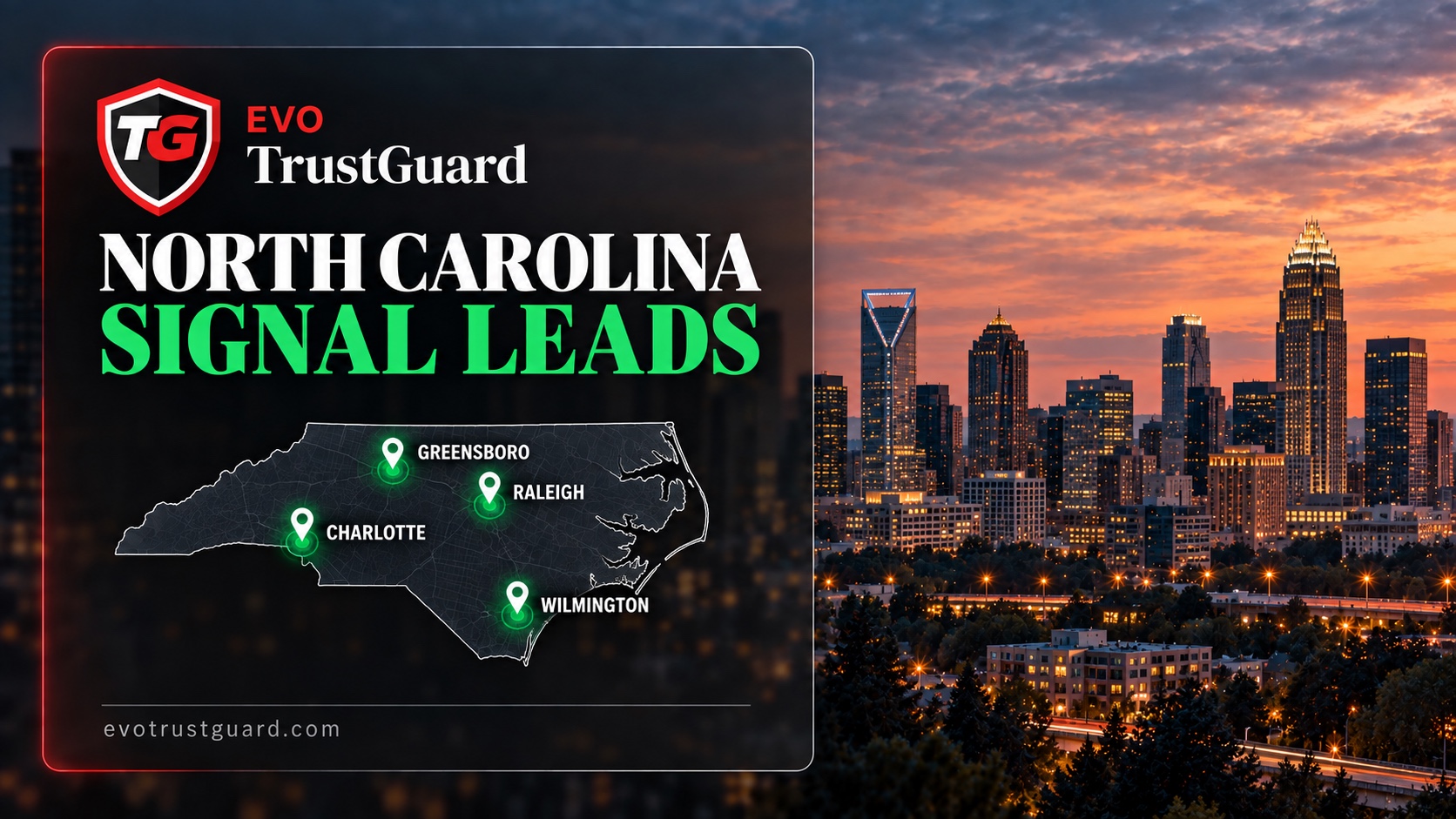
Signal Leads now covers North Carolina construction, with contractor phone numbers on Raleigh permits

Guard companies selling into North Carolina now get the state's four largest construction markets on the feed every morning.

What changed

Commercial construction permits at $500,000 and up now arrive from Charlotte, Raleigh, Greensboro and Wilmington.

Raleigh permits carry the contractor's phone and email on most cards, so they arrive ready to call with no reveal needed.

Multifamily construction of five or more units is included as a permit lead.

Where to find it

Signal Leads, filter to Permits, or the North Carolina markets on the national coverage page.

News

What's New is now public

Every feature, fix and improvement shipped to TrustGuard is now visible without signing in.

What changed

A public changelog at evotrustguard.com/changelog with every post since launch, newest first, filtered by Features, Fixes and News.

An RSS feed at evotrustguard.com/changelog.xml, so you can follow updates from any reader or tool.

A What's New link in the footer of every public page.

Where to find it

evotrustguard.com/changelog, or the What's New link at the bottom of any page.

Feature

Charlotte crime incidents

North Carolina already carried national sources like layoff notices and disaster declarations. Charlotte is the first local one, and it is the largest crime source on the platform.

What changed

Burglary, robbery, vandalism and arson at commercial premises across Charlotte-Mecklenburg.

Full premise detail and precise coordinates, so contact resolution lands on the right business.

Where to find it

Signal Leads, filter by North Carolina.

Feature

Kentucky economic development leads

A company that just won a state incentive is months from opening a facility that will need security.

What changed

Expansion leads from the state's business-incentive approvals, often long before the press release.

Company announcements from the state's economic development office, with the company, the executive and the county.

Bar and special-event openings in Louisville, with the licence the venue holds.

Where to find it

Signal Leads, filter by Kentucky.

Improvement

Government contracts, sized and honest

RFP feeds carried fence contracts and traffic guards, and recompetes showed no dollar value.

What changed

RFP cards are filtered to guard-services work only.

Every federal recompete is sized from its own award record before it is shown.

The procurement officer's contact appears where the state publishes it.

Where to find it

Signal Leads, filter by Government contracts.

Feature

Ohio, Louisiana and Kentucky permits

Three more permit markets, and the first Kentucky state page.

What changed

Commercial permits in Columbus, New Orleans and Louisville.

Trade sub-permits fold onto the building permit they belong to, so one project is one card.

A Kentucky state page.

Where to find it

Signal Leads, filter by state.

Feature

Tell us why a lead died

Archive and delete said that a lead was gone, never why.

What changed

One tap on archive or delete records the reason.

The reason sits on its own axis beside archive and standby, so the lead's history stays intact.

Where to find it

My Leads, the card menu.

News

The Signal Leads page

You could not see what Signal Leads covers without signing in.

What changed

A public Signal Leads page with live counts drawn from the feed itself, so you can see coverage in your state before you subscribe.

State pages, starting with Florida, listing the metros and source classes covered.

Signal Leads in the site navigation on every public page.

Where to find it

evotrustguard.com, Signal Leads.

Improvement

Every lead in the feed has a way to reach someone

A card with no contact path is research, not a lead.

What changed

A signal lead enters the feed only after a contact path is verified at ingest.

Crime incident contacts resolve from the incident's real coordinates.

Layoff notices that span several cities group into one company card with the corporate contact resolved once.

Where to find it

Marketplace, Signal Leads.

Feature

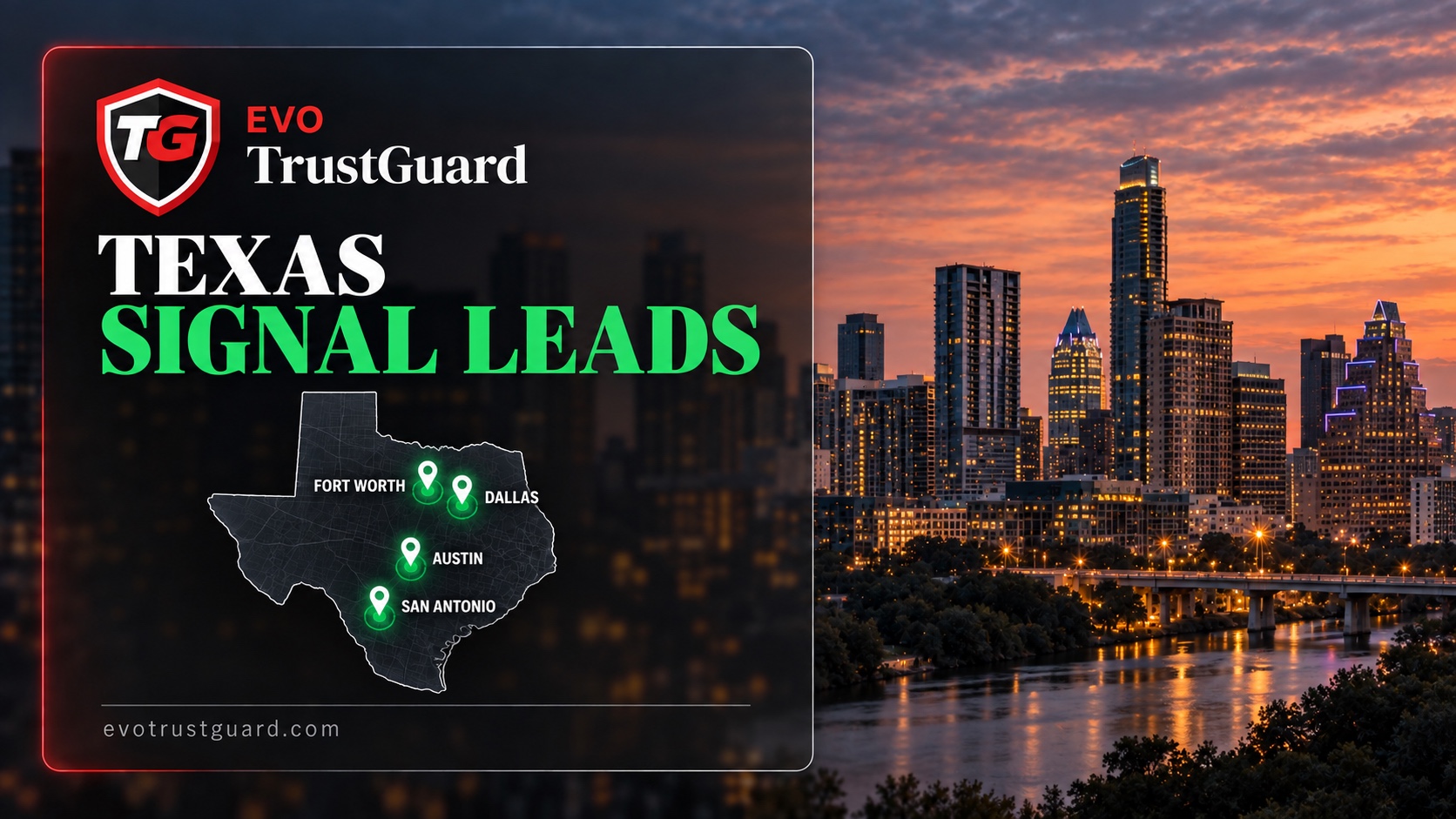
Texas, California and Georgia now have coverage

Three of the biggest security markets in the country are on the feed.

What changed

Commercial permits in Austin, Fort Worth and San Antonio, with the property operator and headquarters attached.

Los Angeles special-event permits, the first event source.

Georgia state and local government solicitations in one feed.

Where to find it

Signal Leads, filter by state.

Feature

Florida is live on Signal Leads

Florida now has the most sources of any state on the platform.

What changed

Commercial building permits over $500k in Orlando, Miami, Miami-Dade County, Cape Coral and Tallahassee, with the contractor named.

Guard-services solicitations from every Florida state agency.

Where to find it

Signal Leads, filter by Florida.

Improvement

A signed contract becomes a full client

Converting a signed lead into a client was dropping pricing, sites and the rep.

What changed

The client is created with its priced assignments, every site on a multi-site contract, and the assigned rep intact.

The lead's evidence, the offense detail or the filings that produced it, stays on the client.

Where to find it

Automatic on signature. Clients list.

Improvement

Documents that read like documents

Post orders, quotes and the Client Information Sheet were carrying app chrome onto the page.

What changed

All three print as plain professional documents, every label beside its amount.

Open-ended jobs quote a typical week and a typical month instead of a partial first period.

Where to find it

Send Quote, Send Post Order, and Download CIS on any assignment.

Feature

Quote a job before every detail is known

Deals stall while you wait on a start date or a badge count.

What changed

Any assignment field can be marked TBD and the quote or contract still sends.

A shift can end on a later day, so a Friday 6 PM to Monday 8 AM hold prices as one shift.

A vehicle can be included in the service rate instead of billed as a separate line.

Where to find it

Client or lead record, Services tab, Create Assignment.

Feature

Record a payment made outside the platform

A client who paid by check left the invoice showing unpaid forever.

What changed

Record a manual payment against any invoice with proof attached.

Pending manual invoices carry a due date and net terms.

The billing tile and the client's payment status follow.

Where to find it

Client record, Billing tab, Record Payment.

Feature

Shift rows: schedules that match the job

A split schedule had to be flattened into hours per day, which printed wrong on every document.

What changed

Each assignment carries shift rows: which days, which hours, how many officers.

The quote, the post order and the Client Information Sheet all print the schedule as it runs.

The pricing engine prices each row.

Where to find it

Client or lead record, Services tab, the assignment schedule.

Improvement

A rebuilt Signal Leads filter sheet

The old filter was a wall of chips.

What changed

Summary rows with grouped source and state pickers.

A live count on every feed and on the Marketplace tile.

Where to find it

Marketplace, Signal Leads, Filter.

Feature

Email from inside TrustGuard

Following up meant leaving the app, finding the address and starting from a blank message.

What changed

Compose an email from any lead or client card.

Per-company templates, starting with a set you can edit.

Every send is logged on the record.

Where to find it

Any lead or client card, Email.

Improvement

The Help page rebuilt for the platform as it is now

The Help page had fallen behind the platform and had no Signal Leads section at all.

What changed

Guidance by role, so a rep and an owner see what applies to them.

A full Signal Leads section covering every source class.

The activity log reads in plain language and filters by who, what and record type.

Where to find it

Help & How-To.

Feature

Labor dispute leads

A strike or a lockout is a site that needs a security plan in place and ready before it starts.

What changed

Strikes and labor disputes are carded with the employer and location as soon as they surface.

A card closes on its own when the dispute settles.

Each card carries three years of dispute history and the employer's bargaining history.

Where to find it

Signal Leads, filter by Labor.

Feature

Today's Sweep

Scrolling the whole feed to find what arrived overnight was the first ten minutes of every morning.

What changed

The Signal Leads feed opens with a summary strip of what came in today, by category.

A lead that resurfaced with new information carries an update pill.

The daily digest push notification takes you straight to the sweep.

Where to find it

Marketplace, Signal Leads, the strip at the top.

Feature

Standby: leads that need time, without cluttering your feed

Some leads need to be worked over months, not days. Instead of sitting in your feed, they can be moved to standby with a check-in date and a reminder, and they come back when it is time.

What changed

Move a lead to standby with a check-in date. It returns with a reminder push notification.

When a lead is handed to a rep, the rep gets a push notification.

Lead notes carry a timestamp and an author, and each one can be deleted.

Where to find it

My Leads, the card menu, Standby.

Feature

Disaster leads that read like a job, not a report

Disaster cards used to lead with agency codes. Now they lead with what happened, how bad it is, and who to call.

What changed

Severity and duration up front on every card.

The call sheet has a called checkbox so a rep sees who is already dialed.

A lead can carry several assigned reps so a team can work one disaster together.

Where to find it

Signal Leads, any disaster card, and Open Call Sheet on the added lead.

Feature

Cincinnati permits, and crime leads tuned to real need

Two changes to the feed on the same day.

What changed

New commercial construction permits over $500k in the Cincinnati area, with the contractor name and project value, before the site is off the ground.

Crime leads narrowed to burglary, robbery, vandalism and arson at businesses and construction sites, with low-value noise removed.

Crime leads pull in the business name and phone wherever the location can be matched.

Where to find it

Signal Leads, filter by Ohio or by crime incidents.

Feature

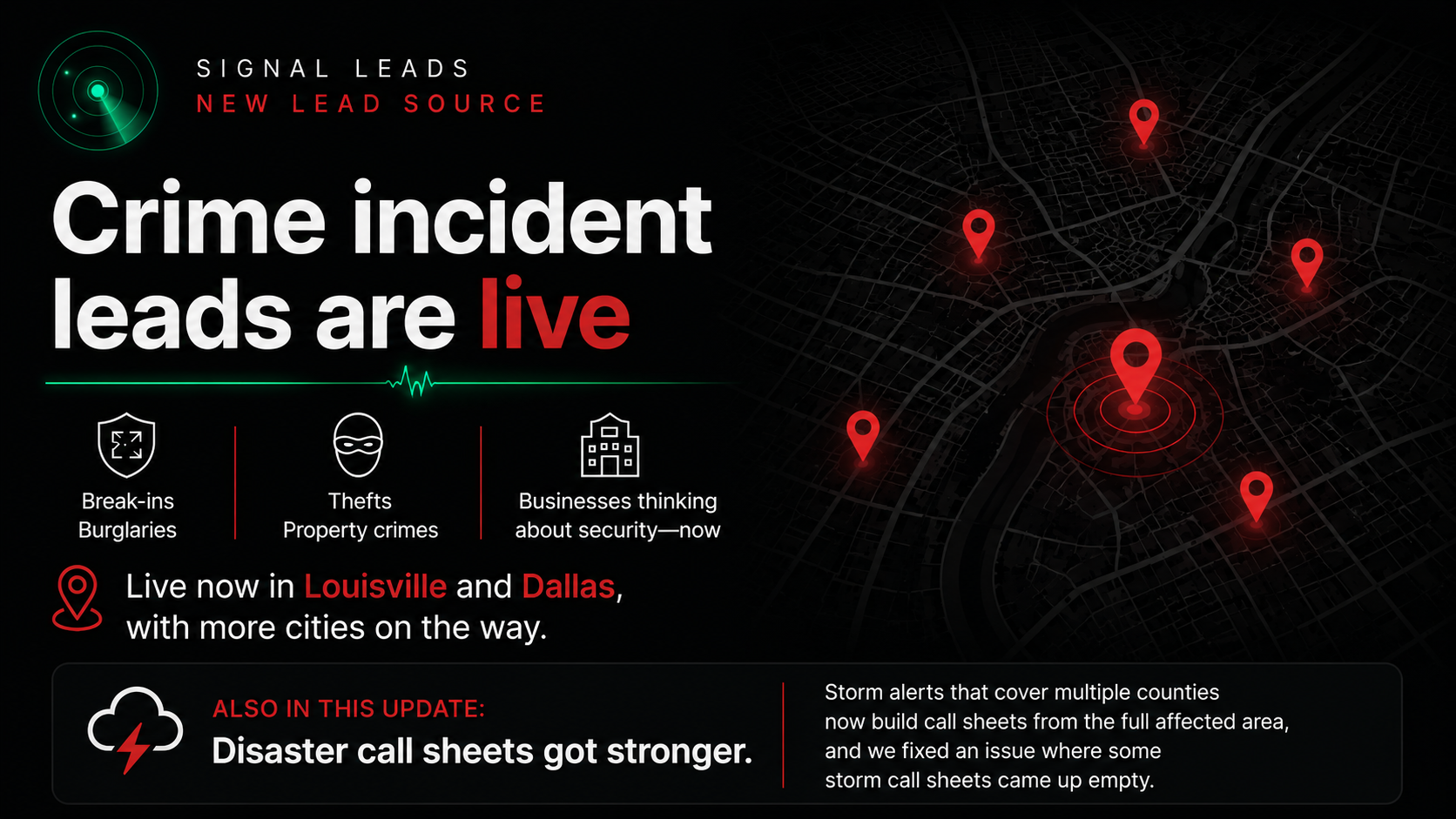
Crime incident leads are live

A business that was just broken into is thinking about security right now. That is when your call lands.

What changed

Signal Leads includes businesses that recently dealt with break-ins, burglaries and other property crimes.

Live in Louisville and Dallas.

Storm alerts that cover multiple counties now build call sheets from the full affected area, and empty storm call sheets are fixed.

Where to find it

Signal Leads, the crime incident cards.

Improvement

Call sheets show the number, and three smaller fixes

Small things that were slowing down a calling session.

What changed

Disaster call sheets show each phone number beside the Call button, so you can copy it or dial from a desk line.

Team member names can be edited after an invite goes out.

Reps land on their dashboard at sign in.

Push failures report what went wrong instead of showing success.

Where to find it

Any call sheet. Profile & Settings, Team Members.

Fix

Archiving keeps a lead's place in the pipeline

Archive used to overwrite the lead's status, so a restored lead lost where it stood.

What changed

Archive is tracked separately. A lead archived at Contacted comes back at Contacted.

A menu button on every card replaces long press, with Archive, Restore and Delete.

Reps can delete leads they created themselves.

Where to find it

My Leads, the card menu.

Improvement

See who owns every lead and client

Scanning a list gave no clue who was working what.

What changed

Lead and client cards show the assigned rep on the card face.

Anything nobody has picked up reads Unassigned in amber.

Visible to owners and managers.

Where to find it

My Leads and Clients lists.

Improvement

Reps can send post orders

Post orders were limited to owners and managers with invoicing permission, which blocked the handoff they exist for.

What changed

Any active team member can send a post order.

The recipient list includes you, your team and your off-platform contacts, with the owner preselected so a rep hands a job up in one tap.

Where to find it

Any assignment, Send Post Order.

Feature

Ohio layoff notices are live

Ohio joins the feed with a layoff source most states never publish.

What changed

Ohio layoff and closure notices, statewide.

Most arrive with a phone number already attached.

Where to find it

Signal Leads, filter by Ohio.

Fix

Dropdowns and letterheads render correctly

Two rendering bugs on specific devices.

What changed

Dropdowns render correctly in dark mode on Windows and Android.

Multiline business addresses display properly on your letterhead.

Where to find it

Anywhere with a dropdown, and any document with your letterhead.

Improvement

Quotes that show the whole engagement and come from the rep

A quote with only an hourly rate leaves the client doing math.

What changed

Quotes show total engagement hours and the hourly rate in the scope of work.

Quotes send from the assigned rep's own name, email and direct phone.

Where to find it

Send Quote from any assignment.

Feature

Dismiss the signal leads you will not work

The feed was becoming a wall of maybes.

What changed

Owners and managers clear a signal lead from the company feed with one tap, with undo.

My Leads filters by lead type: Inbound, Signal or Created.

Request Leads is now called Inbound Leads everywhere.

Where to find it

Any signal card, Dismiss. My Leads, the type filter.

Feature

Disaster call sheets grouped by county

A storm across four counties produced one long undifferentiated list.

What changed

Businesses are grouped by county.

Each county leads with its Local Emergency Management contacts, the people buying first.

Where to find it

Any disaster lead, Open Call Sheet.

Improvement

A cleaner Signal Leads feed

Expired opportunities and award notices were crowding out the live ones.

What changed

Award notices and already-expired opportunities never enter the feed.

Permits retire automatically after their window closes.

The feed scrolls endlessly with an honest count of what you are seeing.

Where to find it

Marketplace, Signal Leads.

Feature

Contact reveals included with Business

Paying a credit to see who to call on a signal lead put a toll on the one action that matters.

What changed

Reveal the contact behind any signal lead at no credit cost, as many as you need.

Where to find it

Any signal lead, Reveal contact.

Feature

See the contract exactly as your client will

The preview was squeezed beside its settings and you scrolled sideways to read your own contract.

What changed

The contract preview takes the full width of the screen.

Client and template details sit in a compact row above it.

View any contract you have already sent from the lead it belongs to, with its status.

Where to find it

Create Contract, and the Contracts tab on any lead.

Improvement

Live Signal Leads count on the dashboard

You had to open the feed to know whether anything new was there.

What changed

The Marketplace tile shows the live Signal Leads count and a badge for new arrivals.

Where to find it

Dashboard, Marketplace tile.

Feature

Push notifications by category

One switch for every notification meant turning off the noise turned off the important ones too.

What changed

Per-category push preferences.

Separate toggles for owners and reps.

Where to find it

Profile & Settings, Notifications.

Feature

Federal holiday premium pricing

Holiday rates were being added by hand to quotes and forgotten on contracts.

What changed

A per-assignment holiday premium toggle that carries into quotes, contracts and Mark Hired.

A holiday billing clause insert, and a nudge if a premium is priced without the clause.

Where to find it

Client or lead record, Services tab, the assignment's billing section.

Improvement

Lead detail works the way client detail does

Two different layouts for leads and clients meant learning the workflow twice.

What changed

The lead detail page mirrors the client detail page. Services is the first tab.

Quote and contract sends live in the Services sheet. The Quotes tab is retired.

Converted signal leads keep their origin, with Find Contact and Open Call Sheet on the lead.

Send and track documents per lead.

Where to find it

My Leads, any lead.

Feature

Signal Leads is live

Lead generation in this industry has meant cold-calling businesses with no need for security. Signal Leads is a feed of businesses that need it now.

What changed

Government RFPs, contract recompetes, commercial building permits, WARN layoff notices, disaster declarations, expansion news and social listening, sourced daily.

Every lead is scored for urgency and matched to your coverage states.

Run a commercial-only feed, a government-only feed, or both.

Included with TrustGuard Business.

Where to find it

Marketplace, the Signal Leads feed.

Feature

A document vault on every client record

Company-wide documents and a client's own COIs and signed contracts were sharing one list.

What changed

Each client gets its own vault on the Documents tab, separate from your company vault.

Set an expiration date and the card flags the document before it lapses.

View any document instantly or send it by email from the tab.

Where to find it

Client record, Documents tab.

Feature

Book a 30-minute walkthrough on the phone

Figuring out a new system alone is slower than being shown it once.

What changed

Book a personal walkthrough and we call you at the time you pick.

Thirty minutes covering leads, quotes, contracts and anything else you want to see. No video call, no prep.

Where to find it

Help & How-To, at the bottom under Still need help.

Fix

Two fixes from user feedback

Both came from people using the app on the phone in the field.

What changed

Marking a lead hired on the free tier no longer hides it from My Leads. It keeps a Hired tag and filter.

The Client Information Sheet downloads as a proper PDF that opens cleanly on iPhone.

Where to find it

My Leads, Hired filter. Client record, Download CIS.

Fix

Rare login hangs fixed

A small number of sign-ins hung, including one that only appeared with multiple tabs open.

What changed

The multi-tab hang and its relatives are fixed.

Sign-in is more reliable on every path we tested, and we keep watching for the rare cases.

Where to find it

Login.

Feature

Reminders attached to the lead, client, contract or invoice they belong to

A follow-up in a separate calendar app has no link to the record it is about.

What changed

Set a reminder from any lead, client, contract or invoice, or create a freeform one.

Reminders fire as push notifications on your phone at the time you pick.

Where to find it

The reminder button on any record, and the Reminders tab.

Feature

Open a support ticket from the Help page

The Suggestion Box was carrying support requests it was never meant for.

What changed

A support channel on the Help page with screenshot attachment.

The Suggestion Box stays for ideas. Support is for when you need a hand.

Where to find it

Help & How-To, Get support.

Feature

Price a 24/7 post the way it actually runs

Continuous details and multi-day holds do not fit a shifts-per-week form.

What changed

Choose scheduled shifts or continuous coverage on any assignment.

The pricing engine bills the exact span, including partial days and ongoing contracts.

Where to find it

Client or lead record, Services tab, the coverage selector on an assignment.

Feature

E-signatures under your own brand, included with Business

Sending a contract for signature meant a separate e-sign subscription with someone else's logo on it.

What changed

Send a contract for signature and the signed copy lands on the client record automatically.

The signing page carries your company branding.

ESIGN and UETA compliant with a full audit trail.

Where to find it

Client record, Contracts tab, Send for signature.

News

Business signup is open to every guard company

Early access ran on invites and a waitlist. Both are gone.

What changed

Any guard, executive protection or patrol company can sign up for TrustGuard Business today.

Leads, quotes, contracts, e-signing and invoicing in one system from day one.

Where to find it

evotrustguard.com, Get started.

Feature

A new dark glass design across the whole platform

The old look was hard to read on a phone at night on post, which is where a lot of this work happens.

What changed

Every screen moved to the TrustGuard Glass design.

Cleaner cards and better contrast in the field.

One consistent feel from the marketplace to your client records.

Where to find it

Everywhere.

Feature

Send documents to anyone, not only the client contact

The property manager, the site supervisor and the owner's assistant all needed copies, and only the client contact could receive them.

What changed

Quotes, contracts, post orders and documents can go to any recipient you add.

A recipient directory remembers everyone for next time.

Where to find it

Any send sheet, Add recipient.

Feature

Post orders built from data you already entered

Standing instructions were being retyped into Word for every post.

What changed

Generate a post order document from the assignment's own schedule, location and instructions.

Send it to the people who need it from the same screen.

Where to find it

Client record, Services tab, Send Post Order on the assignment.

Feature

Every service a client buys, on the client record

A client's coverage was scattered across quotes and emails.

What changed

Create assignments with schedules, locations and billing setup on the client record.

Expand any service card to see the full picture.

Send a quote straight from the service card.

Where to find it

Client record, Services tab.

Feature

Add your team with roles that match how you run the company

One login shared across a company means no accountability and no way to scope what a rep can do.

What changed

Add up to 4 team members as managers or reps.

Control who can send quotes, contracts and invoices.

Assign leads by coverage state.

Every action lands in a built-in audit log.

Where to find it

Profile & Settings, Team Members.

Feature

A public profile page built to be found by Google and AI

Buyers search for guard companies on Google and increasingly ask AI tools. Most guard companies are invisible to both.

What changed

Every company gets a public profile page structured to rank on Google and be cited by ChatGPT and Google AI Overviews.

A buyer can request a quote from your page and it lands in your leads.

Where to find it

Profile & Settings, Public Profile.

Feature

A What's New feed on your dashboard

Things ship here almost daily and there was no single place to see what changed.

What changed

Every feature, fix, improvement and announcement lands in this feed.

Unread posts carry a red accent so you can scan what is new.

Filter by Features, Fixes or News.

Where to find it

Dashboard, the What's New tile.

Fix

Dark mode reads cleanly everywhere

A handful of fields and toasts were still rendering light-mode colors in dark mode.

What changed

Client intake fields no longer flash white on autofill.

Toast notifications and assignment edit forms are readable in dark mode.

Where to find it

Anywhere in the app with dark mode on. Spot another one, drop it in the Suggestion Box.

Feature

Invoice from a contract and get paid into your own Stripe account

Chasing invoices in a separate tool meant nothing tied back to the contract.

What changed

Connect your own Stripe account. Payments land in your balance. TrustGuard never holds your money.

Generate an invoice straight from a contract.

Track payment status on the client record.

Where to find it

Profile & Settings, Billing, to connect Stripe. Client record, Billing tab, to invoice.

Improvement

Lead cards that tell you where each deal stands

Opening every lead to remember what happened last is wasted time.

What changed

Star a favorite lead and it sorts to the top.

Each card shows its most recent activity at a glance.

Quote sent and Contract sent pills show the stage without opening the card.

Where to find it

My Leads.

Feature

Contracts that fill themselves in

Retyping client details into a Word contract is where typos and lost afternoons come from.

What changed

Paste your existing contract terms once and they are stored on your account.

Every new contract fills in the client, service location, hours and pricing automatically.

The terms apply to every contract you send.

Where to find it

Contracts page, Templates tab.

Feature

Upload your compliance documents once, send them in two taps

Every new client asks for the same COI, W-9 and licence. Now they live in one vault and go out from the client record.

What changed

Upload your COI, W-9, licence and permits, and workers comp once, plus any custom document.

Send any document to a client from their record in two taps.

Every send is logged on the client's Documents tab as a paper trail.

Where to find it

Profile & Settings for the vault. Client record, Documents tab, to send.

News

Welcome to TrustGuard

Guard companies have been running on spreadsheets, group texts and generic CRMs that were never built for security work. TrustGuard is the system built for it.

What changed

A lead marketplace where businesses that need security submit requests.

A sales engine to quote, contract and invoice from one place.

Client management with post orders, documents and team roles.

Where to find it

This feed tracks every release. Tap any post to see what shipped and where.

Subscribe by RSS