PUBLIC PROFILE

A public page for your security company, with a quote form built in.

EVO TrustGuard is the platform that gives guard, EP, and patrol companies a security company profile page that search engines and AI assistants can read, with a built-in quote request form that sends each request to your Leads page as a new lead.

Part of TrustGuard Business, $199 a month.

How it works

Fill it in once, publish it, and work the requests.

Three steps from the editor to a new lead in your feed.

Fill in your page once.

Your company name, phone, website, services, coverage areas and logo carry over from your account settings, and your brand colors are picked from the logo when you upload it. On the Public Profile editor you add an About, years in business, license numbers, service cities, hours, response time, social links, FAQs, testimonials and an optional hero image. Only the account owner can edit the page.
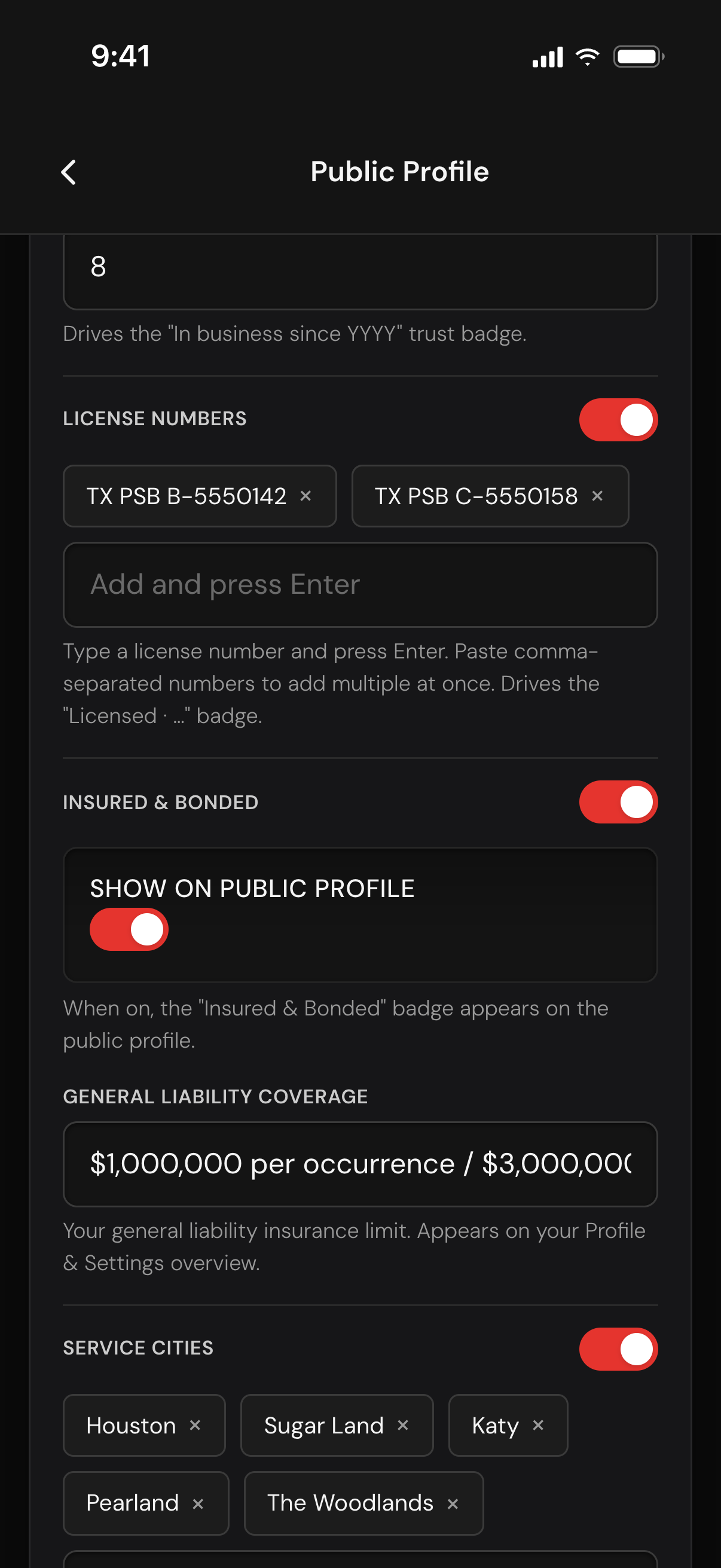
The Public Profile editor scrolled to years in business, two license numbers, the Insured and Bonded switch, the general liability coverage and five service cities

Save it, switch Publish on, and check the page.

Publishing needs a saved About and at least one service area or service type. If something is missing, the switch turns back off and a message says what to add. Leave the page address blank and it is made from your company name; the page goes live at evotrustguard.com/companies/your-name. Once it is on, Preview your profile opens the latest saved version with a Back button, and the same switch takes the page down at any time.
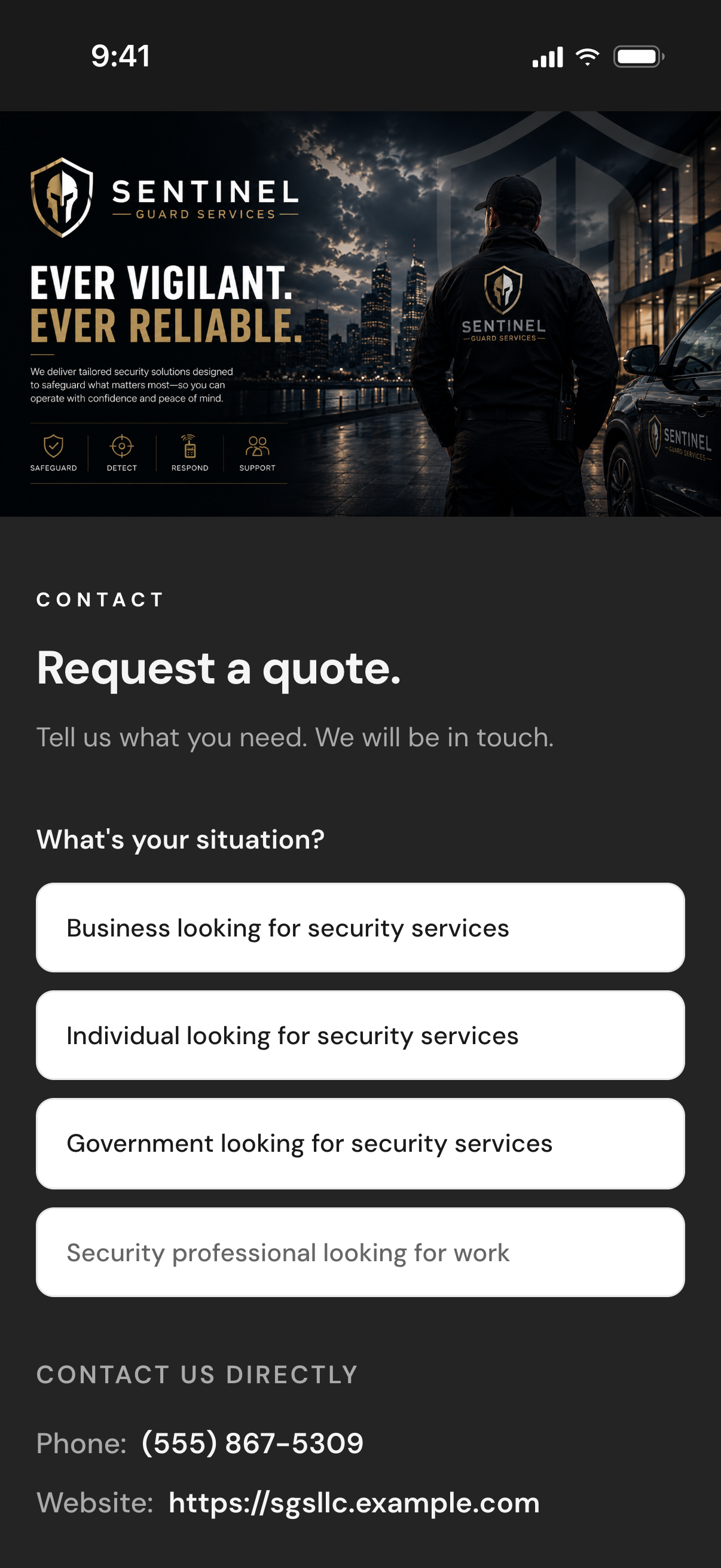
A published company page: the hero image with the company's logo, the Request a quote section with four situation buttons, and the Contact us directly phone number and website

Work each quote request as a lead.

Your page has a Request a quote section. A buyer taps their situation (business, individual or government), answers a few tap questions and sends their contact details on a form that carries your name and brand colors. The request lands on your Leads page as a new lead tagged TrustGuard public profile, with the contact details open. It goes to you alone, costs no credits, and is assigned to the rep who covers that state, or to you when no rep does.
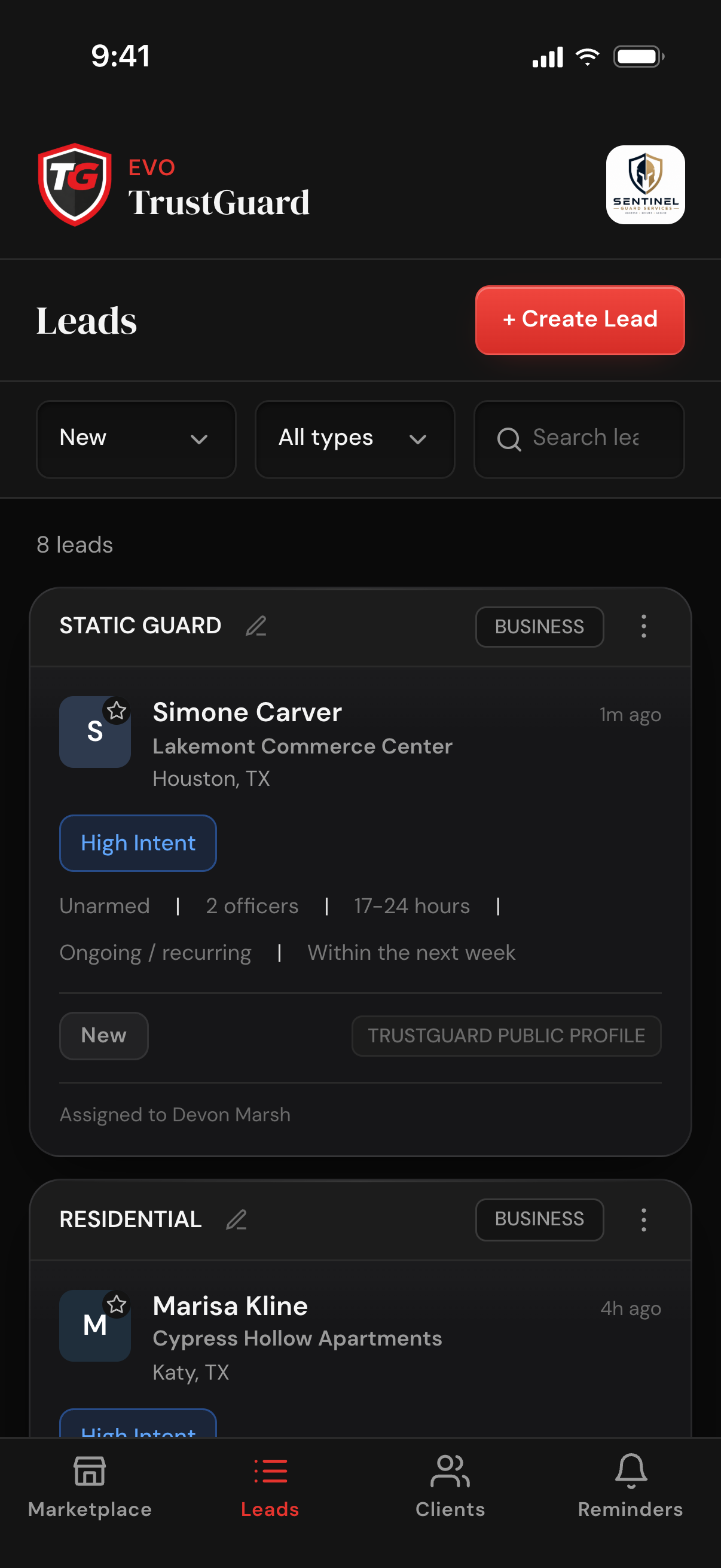
The Leads list filtered to New, with a quote request from the public profile on top, tagged TrustGuard Public Profile, at status New and assigned to a rep
Get found

Open to search engines and AI. Requests sent straight to your Leads page.

Buyers look for security companies in a search box and by asking Google AI Overviews and ChatGPT. On TrustGuard Business, your company can publish a page that is open to both.

A page search engines can read.

Your published page is listed in our sitemap and open to every crawler, AI crawlers included. It carries your name, description, founding year, state, areas served, logo, testimonials and FAQ in the labeled format search engines read. Where and when it shows up is not something we can promise.

Quote requests land on your Leads page.

Every request becomes a lead in the same format as every other lead, with the buyer's contact details open from the start. It is yours alone: never offered in the marketplace, no credits charged.

A company card for AI tools.

Each published page also has a plain company card at its own web address, with your name, description and service tags, for AI tools to read. The card is for finding you only: a quote request still comes through your page.

You decide what shows.

Switches show or hide About, your credentials, coverage, hours, response time, FAQ, testimonials, your phone number and your website. A bid in Subcontractor Connect can carry a Profile link to the published page.

FAQ

Questions, answered

Which plan includes the public profile?

TrustGuard Business. A free Marketplace account sees an upgrade message in the editor and cannot publish a page.

What happens when someone asks for a quote on my page?

It shows up on your Leads page as a new lead tagged TrustGuard public profile, with the buyer's contact details open. It goes only to you and costs no credits.

Do I have to retype my company details?

No. Your company name, phone, website, services, coverage areas and logo come from your account settings, and your brand colors are picked from your logo when you upload it. On the profile editor you add the About, your credentials, social links, FAQs and testimonials.

Can I control what the page shows, and take it down?

Yes. Switches show or hide parts of the page, including your phone number and website, and one switch publishes or unpublishes the whole page at any time.

Will Google and AI assistants find my page?

The page is open to search engines and AI crawlers, is listed in our sitemap, and carries your business details in the format they read. We cannot promise where or when it appears.

Ready when you are

The future of how security companies will operate starts here.

Spreadsheets, folders, generic CRMs, scattered tools, hours of retyping. That doesn't have to be how you run your business anymore. Join the platform that was built for you.

Get started
Month-to-month billing. Cancel anytime.