QUOTES AND CONTRACTS

Quote the job once, send the contract, and get it signed online.

EVO TrustGuard is where guard, EP, and patrol companies run the business, and its security guard quote and contract software lets you price a job once, email a branded quote, and send a contract on your own terms that the client signs online.

Part of TrustGuard Business, $199 a month.

How it works

One saved job becomes the quote, then the contract.

Save your contract terms once.

Open Contracts, go to the Templates tab and paste your own terms and conditions. A template holds a name, an introduction, next steps and your Terms & Conditions. Keep several for different kinds of work; one is the default. The account owner manages them.
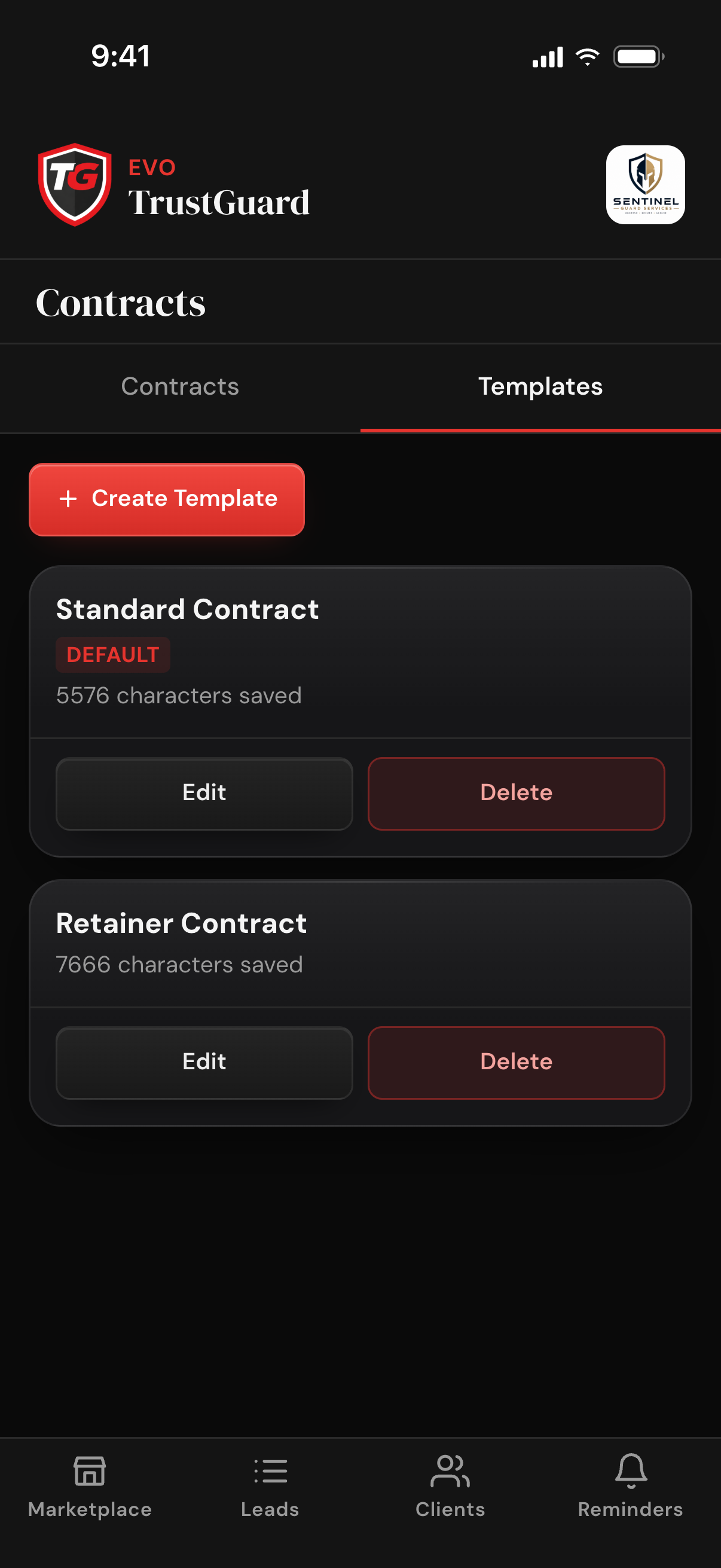
The contract Templates tab with a Create Template button and two saved templates, one marked Default, each with its saved character count and Edit and Delete buttons

Build the job once on the lead.

Fill in the Client Information Sheet, add each assignment (officers, schedule, rate), set tax, named fees and invoice timing, and tap Save. Hours come from the shift times. The saved job feeds the quote and the contract and, once the lead is a client, the post orders and invoices too.
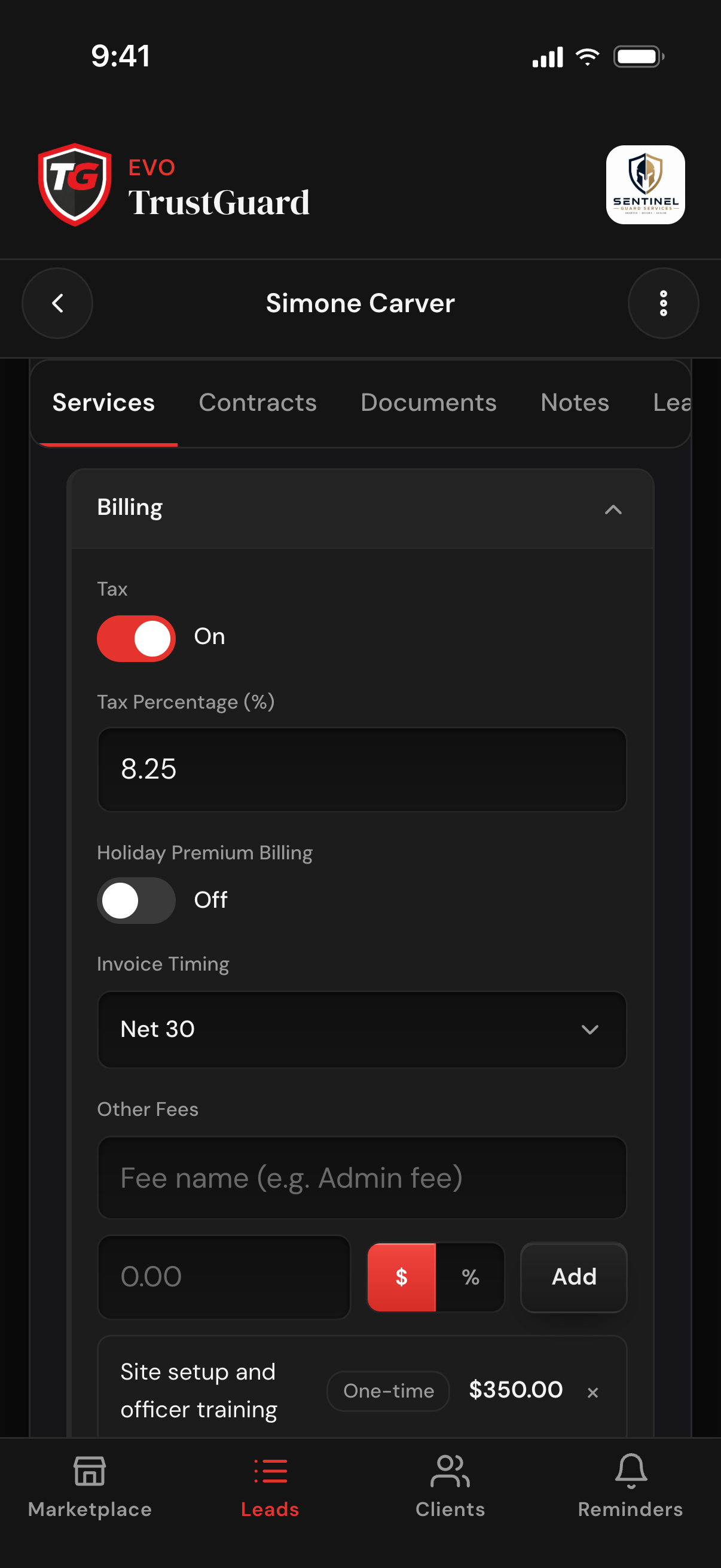
A lead's Services tab with Billing open: tax on at 8.25 percent, holiday premium billing off, Invoice Timing set to Net 30, and Other Fees with a one-time site setup fee added

Send the quote.

Tap Send Quote, tick who should get it, check the preview and send. The lead gets an email branded as your company: a scope of work for each assignment with total hours and the rate, and a billing summary with the weekly, monthly or total figures you chose.
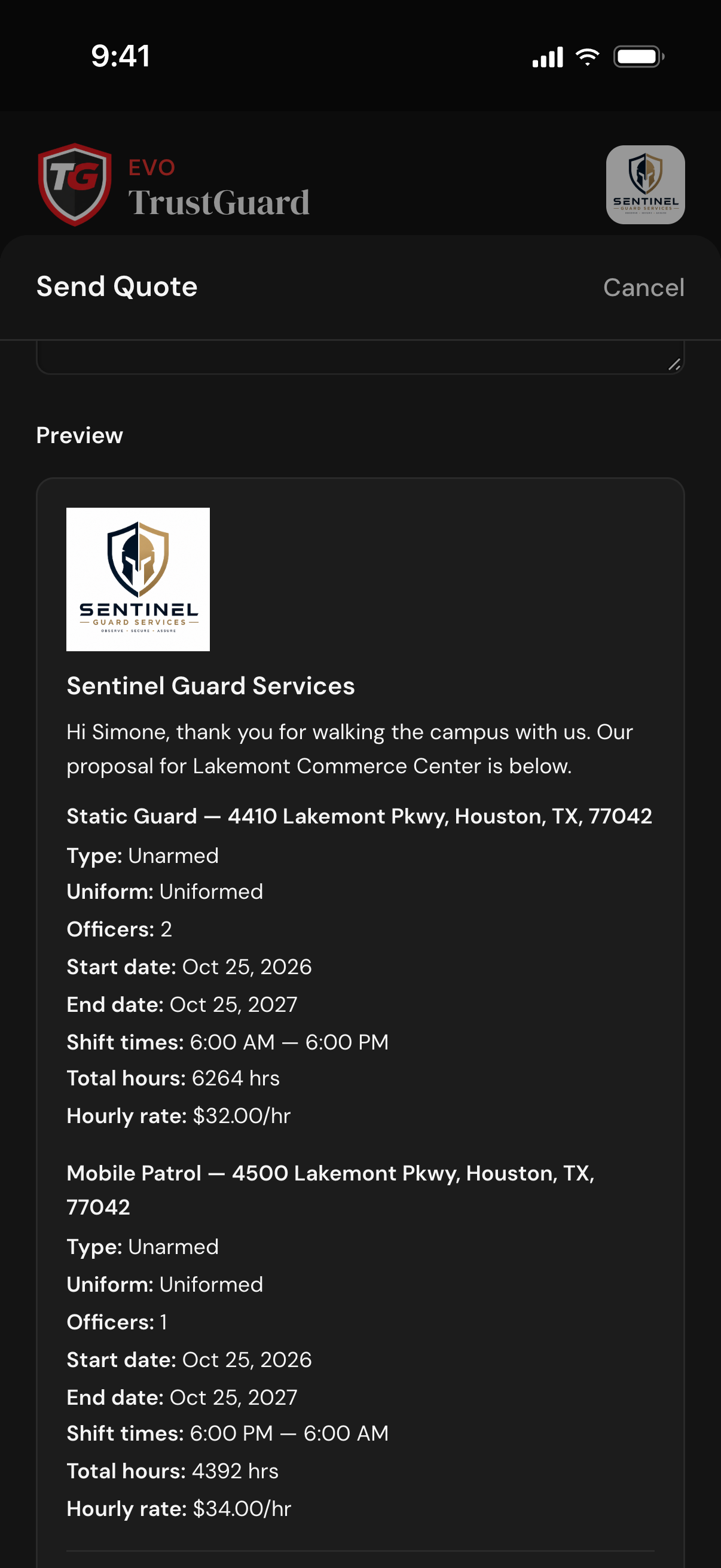
The Send Quote sheet's preview: the company logo and name, a greeting to the contact, and a scope of work for each assignment with its type, officers, dates, shift times, total hours and hourly rate

Turn it into a contract.

Tap Send Contract, pick a template and choose which figures print. The client's details, service details and fee table drop into your terms; anything missing prints as a blank line with a warning on the preview. Confirm the one signer and who gets a copy, then send.
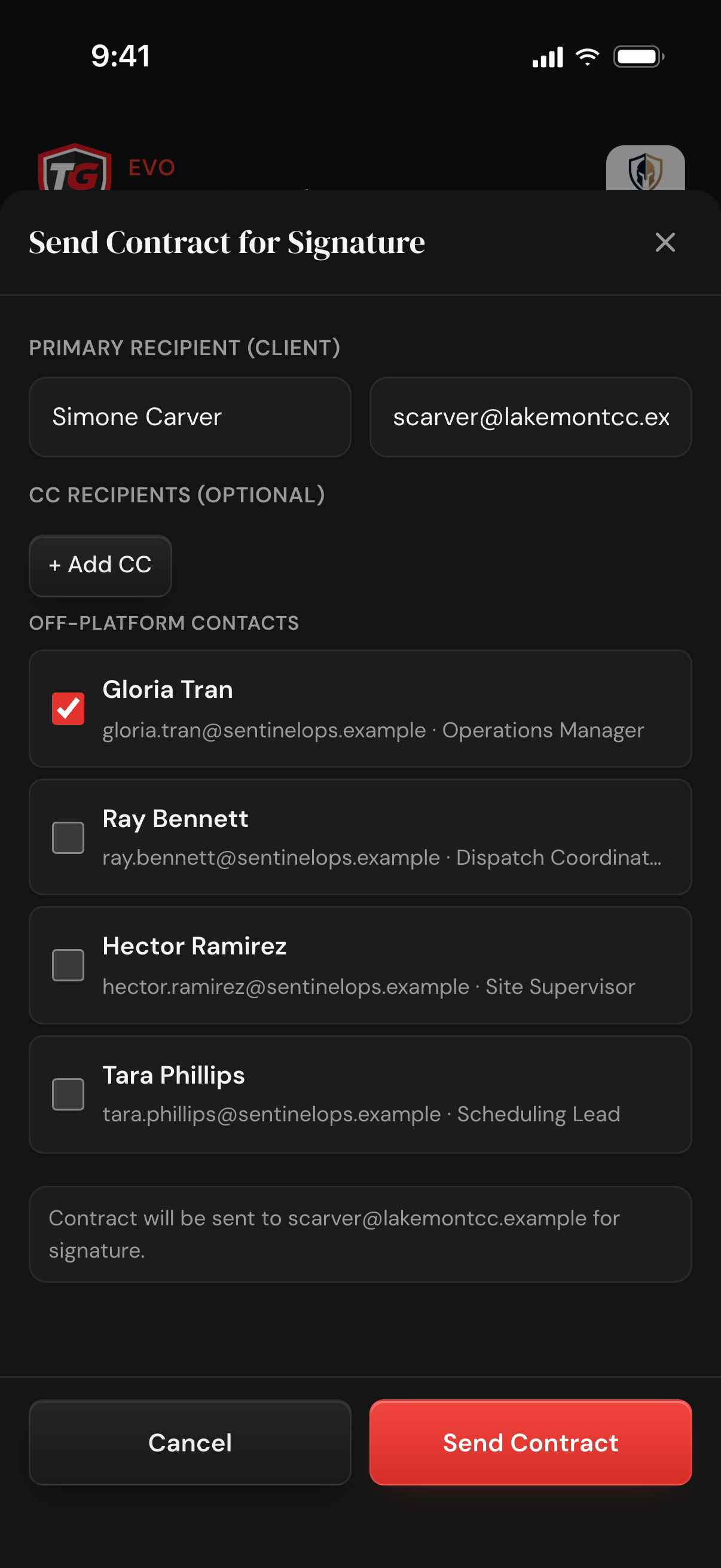
The Send Contract for Signature sheet: the client's contact as the one signer, an Add CC button, off-platform contacts with one ticked to get a copy, and a Send Contract button

The client signs online.

The client opens an email sent under your company's name and signs on a phone or computer. Once signed, the PDF is saved to the record, the client gets a copy, and the lead becomes a client with the job carried over. The company owner gets an email; the owner and whoever sent it get a push when notifications are on.
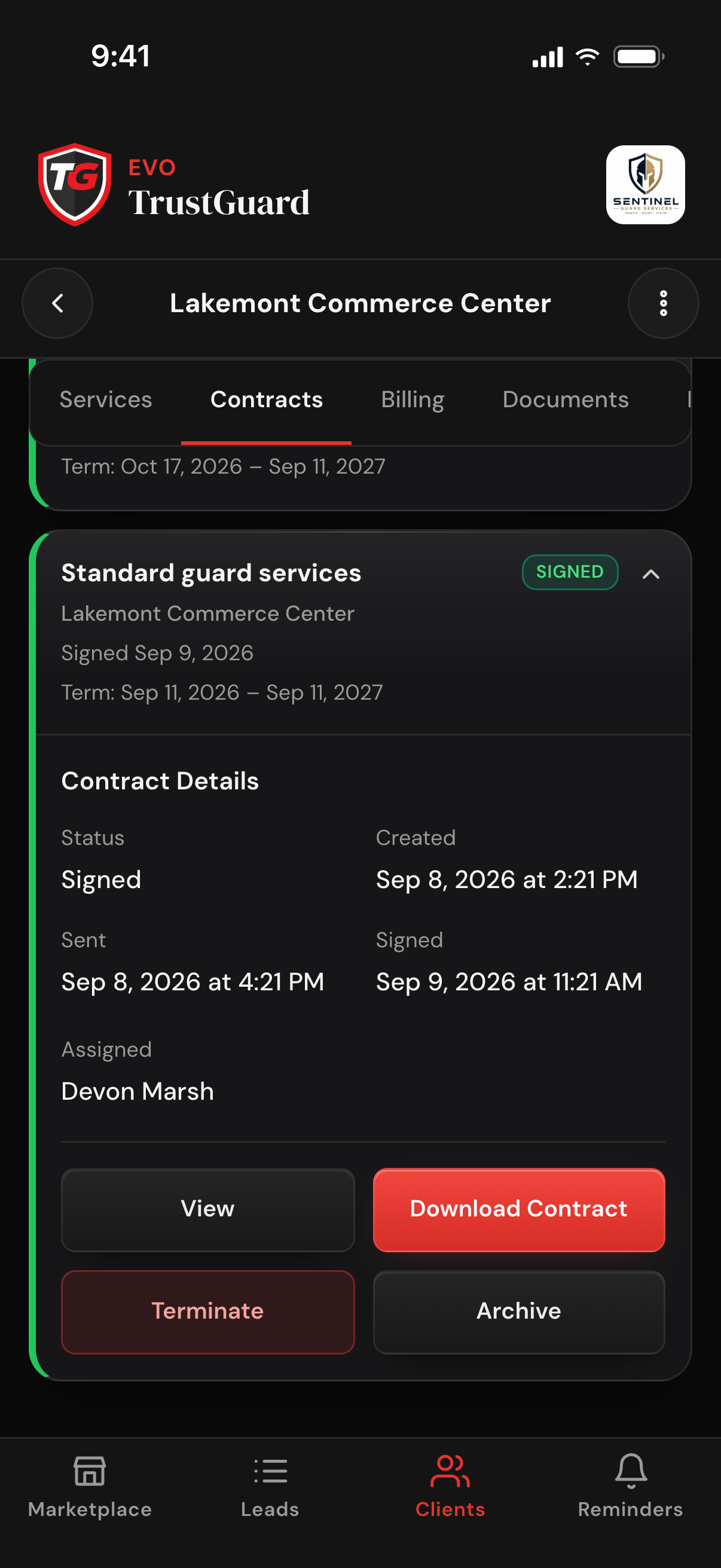
A client's Contracts tab with a signed contract opened: its Signed status, the created, sent and signed times, the term dates, the assigned team member, and View, Download Contract, Terminate and Archive buttons
Quotes and contracts

From first contact to signed contract in one flow.

No more quotes in a word processor, contracts in another tool, and signature pages scanned and emailed back and forth. Build and send from the same lead or client record, and the client signs from the email.

One job, one quote, one contract.

The quote is an email branded as your company: a scope of work for each assignment and a billing summary. The contract carries the same scope and fees into your own terms, with the client's details from the record, never retyped.

Math that does itself.

Hourly billing, per-hit billing for patrol stops, a vehicle billed separately or included, named fees (flat or percent), a tax percentage, and a federal holiday premium on recurring hourly assignments. A 24/7 post prints as continuous coverage.

Your terms, your templates.

Paste your own terms and conditions into a template, keep several and pick one each time; the client, the service details and the fees fill in around your wording. A template can also be a subcontractor agreement for a company picked through Subcontractor Connect.

E-signature under your own name.

The signing email and page carry your company's name; the client prints nothing, scans nothing and needs no account. One-time setup: before your first send you approve an authorization email and add your business address, which prints on every contract.

FAQ

Questions, answered

Does my client need an account or an app to sign?

No. They get an email from your company with one Review & Sign Agreement button and sign on a web page that works on any phone or computer. No login, nothing to download. The signing link works for 30 days.

Can I use my own contract terms?

Yes. Paste your terms into a template once and reuse them. Keep separate templates for different kinds of work and pick one each time you send. TrustGuard fills in the client, the service details and the fees around your wording.

What if I need to change a contract after I send it?

An owner or manager can void it: the signing link is cancelled and the contract goes back to draft, so you can fix the job and send it again. A signed contract cannot be changed or deleted; an owner or manager can terminate it with a reason and a date, and the signed document is kept.

Can I quote a job before I know every detail?

Yes. Mark the site, service type, officer count, rate, schedule or dates you do not know yet as TBD and send anyway. If the rate, officer count or start date is TBD, the quote or contract says the price is to be finalized instead of showing a number.

Is this included in the free plan?

No. Sending quotes and contracts with e-signature is part of TrustGuard Business, $199 a month. On the free Marketplace account you can work leads and fill in the Client Information Sheet, and you will see an upgrade prompt where the send buttons are.

Ready when you are

The future of how security companies will operate starts here.

Spreadsheets, folders, generic CRMs, scattered tools, hours of retyping. That doesn't have to be how you run your business anymore. Join the platform that was built for you.

Get started
Month-to-month billing. Cancel anytime.